McAfee is proud to be recognized with the SE Labs Home Anti-Malware Award 2026, one of the most respected independent recognitions in consumer cybersecurity. This marks the second year in a row that McAfee is being recognized with the Home Anti-Malware Award, proving our continued excellence and efficiency. Â
Now in its eighth year, the SE Labs Awards honor cybersecurity providers delivering outstanding protection across consumer, small business, and enterprise markets. And McAfee has earned top recognition in the Home Anti-Malware category two years in a row.Â
What Are the SE Labs Awards?Â
SE Labs is an independent cybersecurity testing and certification organization. Unlike awards based on self-reported data or marketing claims, SE Labs recognition is grounded in:Â
Continuous public testing: Products are evaluated through ongoing, real-world assessments, not one-time snapshotsÂ
Private assessments: Winners are also evaluated through confidential testing that mirrors actual threat environmentsÂ
Eight years of credibility: The SE Labs Awards have built a track record as a trusted benchmark for both consumers and industry professionals
This makes the SE Labs Award a comprehensive measure of real-world security performance, not just lab scores.Â
What the Home Anti-Malware Award MeansÂ
The Home Anti-Malware category specifically recognizes consumer security products that demonstrate exceptional ability to detect, block, and remedy malware threats targeting everyday users.Â
Winning this award means McAfeeâs protection performed at a level SE Labs considers outstanding, not just effective on paper, but proven against the kind of threats real households face: ransomware, trojans, spyware, phishing-delivered payloads, and more.Â
Simon Edwards, Founder and CEO of SE Labs, offered this comment on the 2026 winners:Â
âThe SE Labs Awards recognises the vendors that are making a real difference in keeping systems secure. Winning an award is a significant achievement. It reflects not only strong product performance in our tests but also the commitment of the teams behind the technology. Congratulations to McAfee on its success.âÂ
Independent Validation. Not a Marketing ClaimÂ
Thereâs an important distinction between a company saying its product is effective and an independent lab proving it.Â
SE Labs operates separately from the vendors it tests. Its methodology is transparent, its testing is repeatable, and its results are used by journalists, analysts, and buyers to make real purchasing decisions. Â
When SE Labs names McAfee a winner, that recognition carries the weight of a process that canât be paid for or manufactured.Â
Thatâs what makes this award meaningful, and what separates it from a badge a company designs for itself.Â
How McAfee Fights MalwareÂ
Malware today doesnât just arrive as a suspicious download. It hides in phishing texts, fake links, malicious QR codes, and compromised websites. And by the time most people realize something is wrong, the damage is already done.Â
McAfee is built to stop threats at every point in that chain.Â
Scam Detector flags suspicious texts, emails, links, QR codes, and even deepfake videos before you engage Â
Secure VPN keeps your data private, especially on public Wi-Fi  Â
Web Protection helps block risky sites, even if you do accidentally clickÂ
Password Manager doesnât just help you make unique, strong passwords, it keeps them stored and organized for youÂ
Device Security helps detect malicious apps or downloads   Â
Identity Monitoring alerts you if your personal info shows up where it should not, so you can act fast   Â
Online Account Cleanup assists in taking down your old, forgotten accounts across the web Â
Social Privacy Manager helps you monitor and change privacy settings across your social platforms in just a few clicks Â
Together, these protections are designed to address the broader range of online risks people face every day. Â
Which McAfee Plans Include This Protection?Â
The same AI-powered threat protection that earned the SE Labs Home Anti-Malware Award is available across every major McAfee plan:Â
McAfee+ PremiumÂ
McAfee+ AdvancedÂ
McAfee+ UltimateÂ
McAfee Total ProtectionÂ
McAfee LiveSafe
Whether youâre protecting one device or an entire household, youâre getting independently verified, award-winning malware protection under the hood.Â
Ready to get protection recognized by the industryâs toughest independent testers? Explore McAfee+ Plans âÂ
Most people donât get scammed because they ignore warning signs.Â
They get scammed because they find a reason to explain those warning signs away.Â
The website looks a little off, but the deal is incredible. The text message is unexpected, but theyâre already waiting for a package. The seller is unfamiliar, but the discount is too good to pass up.Â
Thatâs what makes major shopping events such fertile ground for scammers. Â
New McAfee research suggests that economic pressure may be making that problem worse, as 40% of consumers say they would trust a lower priced deal without verifying it. That means as costs are climbing, shoppers are less likely to second guess a too-good-to-be-true deal that could be a scam.Â
âAnyone who has ever fallen for a scam thought they would recognize one first,â McAfeeâs Head of Threat Research Abhishek Karnik reminds shoppers.Â
âThat confidence is part of what scammers count on,â he says. âTools like McAfee exist precisely for those moments, flagging suspicious links, messages, and offers in real time, before a split-second decision becomes a costly one.âÂ
New McAfee Research Reveals the Cost of Deal HuntingÂ
While most shoppers believe they can spot a scam, McAfeeâs new research suggests many are engaging in behaviors that increase their risk.Â
Rising Prices Are Driving Riskier Shopping DecisionsÂ
Economic pressure is changing how people shop online.Â
McAfee found:Â
82% prioritize finding the cheapest deal when shopping onlineÂ
55% spend more time hunting for dealsÂ
40% would trust a lower-priced deal without verifying it firstÂ
29% would skip researching a seller if the deal seemed especially goodÂ
27% are more likely to consider unfamiliar sellers because of lower pricesÂ
23% feel pressure to act quickly before deals disappearÂ
The same behaviors that help shoppers find bargains can also make them more vulnerable to fraud.Â
âWhat the data reflects is that economic pressure has effectively done some of the scammerâs work for them,â says Karnik. âWhen consumers are already primed to move quickly and prioritize price over authenticity, it takes far less effort to push them toward a bad click or a fraudulent purchase.âÂ
Shopping Scams Are Already Costing Americans Real MoneyÂ
The financial impact is significant:Â
37% say they have lost money due to online shopping scams or fraudÂ
45% of victims lost more than $100Â
25% lost between $100 and $499Â
20% lost $500 or moreÂ
36% were unable to recover any of their moneyÂ
AI Is Making Shopping Scams Harder to SpotÂ
Consumers are increasingly aware that artificial intelligence is changing the scam landscape.Â
According to McAfee research:Â
70% agree AI-generated content is making shopping scams harder to identifyÂ
Nearly three-quarters have encountered shopping content they believed was suspicious or AI-generatedÂ
âThe signs people have historically relied on, poor grammar, low-quality images, obviously off branding, are no longer reliable,â advises Karnik. âAI has lowered the production cost of a convincing fake to nearly zero.âÂ
Itâs not just a fake landing page fraudsters are creating. Â
âAI is being used to make fake review sections, impersonation messages that look exactly like it came from a major retailer, realistic logos, believable URLS,â Karnik says. âWhen youâre shopping online, you need to adjust your expectations to match that new AI reality.âÂ
What Are the Most Common Shopping Scams During Major Sales Events?Â
Scammers follow consumer attention.Â
Whenever millions of people are searching for deals at the same time, scammers create fake websites, impersonate retailers and delivery companies, and use urgency to pressure shoppers into acting before they think.Â
Here are some of the most common shopping scams consumers encounter during major sales events, as well as the red flags consumers can watch for:Â
Scam TypeÂ
How It WorksÂ
Red FlagsÂ
Fake shopping websitesÂ
Fraudulent websites mimic real retailers and disappear after collecting paymentsÂ
Prices far below competitors, little company information, newly created websitesÂ
Fake social media adsÂ
Ads promote products that never arrive or are counterfeitÂ
QR codes redirect shoppers to fraudulent websitesÂ
Codes placed on flyers, posters, packages, or public locationsÂ
Brushing scamsÂ
Unsolicited packages arrive at your homeÂ
Items you never ordered, requests to scan codes or leave reviewsÂ
Fake recall scamsÂ
Messages claim a recent purchase has been recalledÂ
Requests for payment, account credentials, or personal informationÂ
 According to McAfee research, consumers most commonly report encountering fake shipping notifications, delivery scams, retailer impersonation scams, account alerts, and suspicious discount offers during major shopping periods.Â
How McAfee Can HelpÂ
With McAfee+ Premium, multiple layers work together before any damage is done: Â
Scam Detector flags suspicious texts, emails, links, QR codes, and even deepfake videos before you engageÂ
Secure VPN keeps your data private, especially on public Wi-Fi Â
Web Protection helps block risky sites, even if you do accidentally click  helps block risky sites, even if you do accidentally click  Â
Password Manager doesnât just help you make unique, strong passwords, it keeps them stored and organized for you
Device Security helps detect malicious apps or downloads  Â
Identity Monitoring alerts you if your personal info shows up where it should not, so you can act fast  Â
McAfee surveyed 1,000 U.S. adults in May 2026 as part of a broader study of 5,000 respondents across the U.S., UK, France, Germany, and Japan, focused on online shopping intentions, scam awareness, and purchase behaviors.Â
The takeaway is simple: some of the biggest threats facing gamers arenât happening inside games. Theyâre hiding in the downloads, websites, and tools players use around them.Â
Letâs start with the GTA breach.Â
GTA Cheat Service Breach Exposes Nearly 64,000 UsersÂ
Atlas Menu, a cheat service for Grand Theft Auto V, was reportedly hacked, exposing data belonging to nearly 64,000 users.Â
According to reports, the leaked information included:Â
Email addressesÂ
UsernamesÂ
Scrambled passwordsÂ
IP addressesÂ
Customer support tickets
The hacker who claimed responsibility later posted the data online.Â
Why This MattersÂ
Many players think of cheats as harmless tools that unlock special abilities, provide advantages, or simply make games more entertaining.Â
But unofficial cheat services often operate outside the protections offered by legitimate gaming platforms.Â
That means users may be:Â
Sharing personal information with unknown developersÂ
Downloading unverified softwareÂ
Exposing themselves to malwareÂ
Putting gaming accounts at riskÂ
And that brings us to an even bigger threat.Â
Minecraft Malware Campaign Has Already Infected 116,000 PlayersÂ
McAfee researchers recently uncovered a large-scale malware operation targeting gamers searching for Minecraft mods, clients, and cheats.Â
The campaign is called WeedHack.Â
What Is WeedHack?Â
WeedHack is a type of Malware-as-a-Service (MaaS).Â
That means cybercriminals package malware into a subscription service that other attackers can use.Â
Researchers found that:Â
More than 116,000 victims have been infected since JanuaryÂ
The campaign continues to add roughly 2,000 to 3,000 new victims every dayÂ
More than 3,800 malicious files have been identifiedÂ
More than 240 malicious download URLs have been linked to the operationÂ
Premium versions reportedly cost as little as $5 per month and include tools that allow attackers to remotely access victimsâ devices and webcams.Â
Online Account Cleanup assists in taking down your old, forgotten accounts across the webÂ
Social Privacy Manager helps you monitor and change privacy settings across your social platforms in just a few clicksÂ
Together, these protections are designed to address the broader range of online risks people face every day.
Other Scam and Cybersecurity News This WeekÂ
Here are some other important headlines to be aware of:Â
Carnival Data Breach Impacts Nearly 6 Million CustomersÂ
Carnival Corporation disclosed a data breach affecting nearly six million customers after a social engineering attack allowed an unauthorized individual to gain access to part of the companyâs IT systems.Â
Exposed information may include:Â
NamesÂ
AddressesÂ
Email addressesÂ
Phone numbersÂ
Dates of birthÂ
Government-issued identification numbers
Affected customers should be alert for phishing emails, fake customer support calls, and identity theft attempts.Â
Instagram AI Support Tool Exploit Raises Security QuestionsÂ
Instagram says it has fixed an issue that reportedly allowed attackers to manipulate its AI-powered support chatbot and gain access to other usersâ accounts.Â
According to reports, attackers were allegedly able to influence the account recovery process and associate new email addresses with targeted accounts.Â
The incident highlights a growing challenge for AI-powered customer support systems: convenience cannot come at the expense of identity verification.Â
AI Voice Cloning Scams Continue to SurgeÂ
Voice cloning scams continue to grow as AI tools make it easier than ever to imitate friends, family members, and coworkers.Â
According to FBI data cited this week, Americans lost more than $893 million to AI-related scams last year.Â
These scams included:Â
Voice cloning attacksÂ
AI-generated phishing emailsÂ
Romance scamsÂ
Other AI-assisted fraud schemesÂ
If someone calls claiming to be a loved one in distress and urgently requests money, verify the situation through another communication channel before taking action.Â
McAfee Safety Tips This WeekÂ
Whether youâre downloading a Minecraft mod or answering an unexpected phone call, the same rule applies:Â
Slow down before you click, download, or share information.Â
Here are a few ways to stay safer:Â
Download mods, clients, and game tools only from trusted sources.Â
Be skeptical of download links shared in YouTube comments, Discord servers, or social media posts.Â
Never disable antivirus software to install a game mod.Â
Enable multi-factor authentication on gaming, Discord, and email accounts.Â
Use unique passwords for gaming accounts.Â
Treat âfree cheats,â exclusive hacks, and too-good-to-be-true downloads with caution.Â
Weâll be back next week with more scams making headlines.Â
McAfee Labs has discovered a massive, ongoing malware campaign called WeedHack that disguises itself as free Minecraft mods and game clients to infect playersâ computers. Since January 2026, it has logged more than 116,000 victim infections, averaging 2,000 to 3,000 new hits every single day.Â
What makes WeedHack different from most malware is how cheap and easy it is to use.Â
Typically, a hacker would pay hundreds of dollars per month to access attack tools through underground criminal networks. WeedHack offers a free version to anyone with a Discord account and an internet connection. A premium upgrade, which includes the ability to secretly watch victims through their own webcam, starts at just $5 a month.Â
This low barrier has attracted a younger crowd of would-be attackers, many of them appear to be teenagers or young adults. Our researchers were startled to discover teens using these tools not just for financial theft, but to harass and bully their peers, a pattern weâve documented and that makes this campaign especially concerning.Â
The good news for McAfee users: Web Protection actively blocks the sites distributing WeedHack, and Threat Explainer tells you exactly why a flagged file is dangerous, so youâre never left guessing.Â
Key Facts at a GlanceÂ
WhatÂ
DetailsÂ
Campaign nameÂ
WeedHackÂ
Active sinceÂ
January 2026Â
Total victims loggedÂ
116,464+Â
New infections per dayÂ
~2,000â3,000Â
Malicious files discoveredÂ
3,820+ unique filesÂ
Malicious download URLsÂ
240+Â
Free tier available?Â
Yes. Anyone can sign upÂ
Premium priceÂ
Starting at $5/month; $24.99 lifetimeÂ
Who is being targetedÂ
Minecraft players worldwideÂ
Most affected countryÂ
United States, followed by Germany, India, the UK, Italy, and othersÂ
What attackers can accessÂ
Once installed, it can steal passwords, hijack accounts, and, for paying customers, it can give the attacker live access to the victimâs screen, webcam, and files.Â
The financial impactÂ
It can steal Discord tokens, crypto wallet credentials, Minecraft account credentials. Â
Hackers will hold your information for ransom, requiring a large payment in exchange for your data.Â
WeedHack is a Malware-as-a-Service (MaaS) campaign, meaning itâs a criminal business that sells hacking tools to customers, the same way a legitimate software company sells subscriptions.Â
The âproductâ is malware that gets secretly installed on a victimâs computer when they download what they think is a Minecraft mod or client. Once installed, it can steal passwords, hijack accounts, and, for paying customers, it can give the attacker live access to the victimâs screen, webcam, and files.Â
The campaign operates a polished, professional-looking dashboard hosted openly on the internet (not the dark web). That dashboard lets customers track their victims, download stolen data, and launch remote access features, all from a browser.Â
What it looks like to buy a subscription from WeedHack.
The Cyberbullying ProblemÂ
One of the most disturbing findings from our investigation is how WeedHack is being used.Â
While monitoring the campaignâs Telegram channel, which had over 850 members during the time of our research, we observed that many customers appear to be teenagers and young adults, and a significant portion are using the remote access tools not for financial gain, but to harass and intimidate other players. Â
We observed attackers recording victims through their webcams without consent and sharing those recordings in the Telegram channel as trophies. Others used knowledge of victimsâ IP addresses and system access to threaten them.Â
Itâs important to note that, at the current time of publishing, the Telegram channel has been taken down, and no replacement channel has appeared. McAfee is continuing to monitor any new channels that may be established by the threat actors for further communication.Â
Still, what we observed is a form of cyberbullying with unusually invasive tools behind it. If you or your child has been contacted by someone online claiming they have hacked your computer, have your webcam footage, or know your IP address, take it seriously.Â
What to do if this happens:Â
Do not follow the attackerâs instructions, it makes things worseÂ
Tell a trusted adult immediately (parent, guardian, school counselor)Â
Contact your local law enforcement, this may constitute criminal conduct. Â
Do not engage with the attacker or attempt to negotiateÂ
The Telegram channel uncovered by McAfee.
How Do People Get Infected?Â
WeedHack spreads in two main ways, and the campaign even provides its customers with step-by-step tutorials on how to carry out both.Â
1. Fake YouTube Videos
Attackers create convincing YouTube videos reviewing or demonstrating Minecraft clients and mods. Â
The videos are well-produced, some include voiceover narration, and link to malicious download sites in the description and comments.Â
One video McAfee identified had over 7,500 views before being flagged. Comments are also sometimes planted by the attackers claiming the files are safe.Â
2. Fake Mod Websites
WeedHack instructs customers to build convincing-looking websites that mimic official Minecraft mod pages. These sites are deliberately designed to show up high in search engine results for popular mod names, a tactic called SEO poisoning. Â
Some fake sites include fake security warnings, Discord links, and GitHub references to appear legitimate. In one case, a site warned players to âonly download from us,â while actively distributing malware.Â
Minecraft clients and mods specifically targeted include: Meteor Client, Radium Client, Wurst Client, LiquidBounce, Impact Client, Future Client, and others.Â
An example of a video hiding a malicious link in the description.
What Happens When Youâre Infected?Â
Infection happens in four stages that happen silently in the background after a victim opens the downloaded file.Â
Stage 1 â First Contact: The malicious file launches quietly (without showing a console window), connects to a hidden network, and phones home to receive further instructions. It uses a sophisticated technique involving the Ethereum blockchain to locate its command server in a way thatâs difficult to block or take down.Â
Stage 2 â Taking Hold: The malware disables Windows Defender protections, gathers detailed information about the victimâs computer (processor, graphics card, RAM, operating system), and takes a screenshot of their screen. It then steals Discord tokens and browser passwords and cookies. For McAfee users, this is where Web Protection would prevent users from visiting the site, and where our Antivirus would prevent any downloaded malware from taking hold.Â
Stage 3 â Digging In: The malware installs itself so that it automatically restarts every time the victim logs into their computer. It sets up a hidden scheduled task that runs continuously, even at the highest system privileges.Â
Stage 4 â Full Access: For premium customers, an additional component is installed that connects the attacker to the victimâs computer in real time. This includes live screen sharing with keyboard and mouse control, webcam access, keylogging (recording every keystroke), a reverse shell (full command-line access to the computer), and the ability to upload or download any files.Â
A separate component specifically hunts for Telegram credentials and cryptocurrency wallets, sending that data to a different server every five minutes.Â
Minecraftâs mod ecosystem is enormous and largely unregulated. Kids routinely search YouTube and Google for performance-boosting clients, cosmetic mods, and gameplay cheats, exactly the kinds of things WeedHack exploits. Â
Hereâs a practical guide for families:Â
Red FlagÂ
Safe PracticeÂ
The mod isnât on the developerâs official websiteÂ
Only download from CurseForge, Modrinth, or the modâs verified GitHubÂ
A site or video tells you to disable your antivirus to run the fileÂ
Never disable antivirus for a game mod. Legitimate mods donât ask you toÂ
A site youâve never heard of claims to be the âonly officialâ sourceÂ
If you canât verify the site is official, donât download from itÂ
Download links are in YouTube comment sectionsÂ
Treat comment section links as a red flag, alwaysÂ
Your antivirus flags a file as malware, but they try to tell you to ignore it, itâs a âfalse alarmâÂ
Use McAfeeâs Threat Explainer to find out why this is malicious. Donât disable antivirusÂ
One of the best ways parents can protect their families is with McAfeeâs award-winning antivirus and Web Protection, which are specifically designed to detect threats like WeedHack and help block malicious downloads before a device can be compromised.Â
Are McAfee Users Protected?Â
McAfee has been actively tracking WeedHack samples and detects this threat under the following signatures:Â
McAfee provides multiple layers of protection against threats like WeedHack.Â
Web Protection helps block access to malicious websites distributing infected Minecraft mods, stopping the threat before a file is ever downloaded. Â
Award-winning antivirus detects and blocks malware if a malicious file does make it onto your device. Â
Threat Explainer shows exactly why a file was flagged, helping users understand what happened and avoid similar scams in the future. Â
Together, these protections help proactively block risky downloads, reactively stop malware, and explain what to watch for next.Â
McAfee Labs continues to monitor WeedHack and will update coverage as new samples and domains are identified. For the full technical report including indicators of compromise, see the McAfee Labs analysis.Â
Key Terms ExplainedÂ
TermÂ
What it meansÂ
Malware-as-a-Service (MaaS)Â
A criminal business model where hackers sell or rent attack tools to other people, just like a software subscriptionÂ
RAT (Remote Access Trojan)Â
Malware that gives an attacker remote control over a victimâs device â screen, files, camera, and moreÂ
InfostealerÂ
Malware designed to silently collect and transmit passwords, cookies, and account credentialsÂ
SEO PoisoningÂ
Manipulating search engine results so a malicious website appears near the top when someone searches for a legitimate productÂ
Minecraft Client/ModÂ
Third-party software that modifies or enhances the Minecraft game experience. Legitimate ones are common; WeedHack fakes themÂ
Minecraft Session IDÂ
A token that proves youâre logged into Minecraft. Stealing it lets an attacker take over your account without your passwordÂ
KeyloggerÂ
Software that secretly records every key a person types â including passwords, messages, and search queriesÂ
Reverse ShellÂ
A connection from the victimâs computer back to the attacker that gives the attacker full command-line controlÂ
EtherHidingÂ
A technique that hides a malwareâs server address inside the Ethereum blockchain, making it very difficult to blockÂ
Discord TokenÂ
A credential that lets someone access your Discord account. Stealing it gives attackers full access without needing your passwordÂ
Minecraft is a 2011 sandbox game developed and published by Mojang Studios. It is the best-selling video game in the world and has sold over 350 million copies worldwide. Its popularity has spanned over a decade due to its versatile gameplay, offering multiple game modes, including one of the most memorable Story Mode in gaming history.
It allows players to create and host multiplayer servers with a variety of gameplay options and offers a wide range of custom launchers, game mods, and cheats to choose from.
Its massive popularity and widespread use of third-party tools have also given rise to a dark side of the Minecraft ecosystem, which is filled with Remote Access Trojans (RATs), credential stealers, keyloggers and other malware threats.  Â
McAfee Labs has recently uncovered a colossal Minecraft-focused Malware-as-a-Service (MaaS) campaign named âWeedhackâ, that allows threat actors to remotely access and manipulate the victimsâ screen, webcam and file system through a dashboard hosted on the clear net, making it easily accessible to anyone with a Discord account and an internet connection.Â
Key FindingsÂ
âWeedhackâ has been active since January 2026 and masquerades as genuine Minecraft clients and mods to infect users. Â
Weâve discovered over 3820 unique malicious JAR files that are part of this attack and over 240 URLs responsible for distributing this malware. Â
This campaign utilizes SEO poisoning and YouTube to generate traffic to these malicious URLs. We also found two YouTube channels and multiple videos that demonstrate Minecraft Mods and Clients and redirect viewers to these URLs.Â
The campaign has accumulated a total of 116,464 hits, averaging approximately 2000 to 3,000 hits per day.Â
The campaign provides an enterprise-grade dashboard that allows customers to view stolen credentials and system information, download the payload, configure notifications, access tutorials, and remotely monitor their victims. Â
This campaign deploys EtherHiding, a technique that uses Ethereum blockchain to fetch its latest C2 domain. The responses are RSA-signed and verified before execution, helping protect the network from campaign takeover attempts.Â
Weâve uncovered 10 domains that host the next stage payloads and host the malware dashboard for the Weedhack campaign. Â
Weâve identified 11 domains that hosted similar MaaS campaigns in the past, orchestrated by the same threat actor. Â
Weâve unearthed the threat actorâs Telegram account and uncovered a Telegram channel for customers, with over 850 members, as of writing this blog.Â
This campaign offers two service tiers: free and premium. Â
The free tier includes a comprehensive infostealer capable of targeting Minecraft session IDs and four Minecraft launchers, collecting system information, and stealing cookies and passwords from 36 different browsers. It also targets 56 browser-based crypto wallets and 12 desktop crypto wallets, along with Discord, Steam, and Telegram credentials. It can search for files using 24 different keywords and includes screenshot capture capabilities.Â
For premium users, with subscriptions starting at $5 per month, it offers additional remote-access capabilities such as webcam access, keylogging, reverse shell execution, screen sharing with keyboard and mouse access, and file management features for uploading and downloading files. Â
While monitoring the Telegram channel, we found that WeedHack malware is a major catalyst for cyberbullying. Many of its customers appear to be teenagers and young adults and are using remote access capabilities to threaten, harass and monitor their victims, which are around the same age.
Whether youâre planning a once-in-a-lifetime trip or just hoping to catch a match while itâs in your city, the 2026 FIFA World Cup is already driving a surge in ticket searches, travel bookings, and last-minute plans.Â
But where thereâs high demand and big money, scammers arenât far behind.Â
âThe World Cup is one of those events where excitement and cost collide,â says Abhishek Karnik, Head of Threat Research at McAfee. âTickets have been expensive, and for many people, especially families or fans traveling, the costs add up quickly between tickets, flights, hotels, and everything else that comes with attending.â
âWhen prices feel out of reach, people naturally start looking for better deals or cheaper options. That is where things can get tricky. If someone suddenly offers what feels like a great price compared to everything else out there, it can feel like a rare opportunity worth jumping on. Scammers understand that.âÂ
New McAfee Research Finds a Gap Between Awareness and RiskÂ
New research from McAfee shows that while most fans are aware of World Cup-related scams, many are still willing to take risks to secure tickets. Â
In fact, 40% say they would consider buying from an unofficial source if they canât get tickets through the official FIFA site, as many expect tickets to sell out and hope to find affordable resale options.Â
That tension is what makes events like the World Cup especially vulnerable for scams.Â
With limited ticket availability, rising prices, and the pressure to act quickly, even informed fans can find themselves making decisions they normally wouldnât, like buying tickets from a reseller on TikTok. Â
And scammers are counting on it.Â
Survey takeaways:Â
76% of fans are interested in getting World Cup ticketsÂ
35% have already started searching onlineÂ
43% are willing to spend over $500 on ticketsÂ
66% say theyâre aware of World Cup-related scamsÂ
66% say theyâre concerned about being scammedÂ
40% would consider buying tickets from unofficial sourcesÂ
The Most Common World Cup Scams to Watch ForÂ
âUsually, it is not just one thing that gives a scam away,â Karnik says. âIt is when a few warning signs start adding up at once, pressure to act quickly, prices that feel unusually low, or details that seem slightly off.âÂ
âOne of the biggest is urgency around pricing. If someone is pushing a deal that feels dramatically cheaper than similar tickets, claiming prices are about to go up, or creating pressure to buy immediately, that is worth paying attention to. Creating artificial urgency around a âgreat dealâ is one of the easiest ways scammers get people excited enough to move quickly.â
Below is a comprehensive breakdown of the most common scams tied to major global sporting events like the World Cup, including how they work and what to look for.Â
McAfeeâs Scam Detector,  Safe Browsing tools, VPN, and Password Manager work together to help you spot scams like these as they happen by flagging suspicious messages, blocking risky websites, and helping you make safer decisions before you click, pay, or share information.Â
 Scam TypeÂ
 What It IsÂ
 How It WorksÂ
 Red FlagsÂ
Fake Ticket Resale ScamÂ
Fraudulent tickets sold through unofficial sites or individualsÂ
Scammers create fake listings or duplicate real tickets and sell them to multiple buyersÂ
Prices far below or above market, refusal to use official transfer systems, pressure to act fastÂ
Social Media Ticket ScamÂ
Tickets sold through platforms like Instagram, Facebook, TikTok, or XÂ
Fake or hacked accounts post âlast-minuteâ ticket offers and move conversations to DMsÂ
Urgent language (âonly 2Â leftâ), new or suspicious profiles, requests to pay outside the platformÂ
Duplicate QR Code ScamÂ
One legitimate ticket is resold multiple timesÂ
Multiple buyers receive the same QR code, but only the first scan worksÂ
Screenshots instead of official transfers, identical tickets sold repeatedlyÂ
Fake Ticket Website ScamÂ
Websites designed to look like official ticket platformsÂ
Victims enter payment info or purchase tickets that donât existÂ
Slightly misspelled URLs, unfamiliar domains, lack of official branding verificationÂ
Travel & Accommodation ScamÂ
Fake hotels, rentals, or travel packagesÂ
Listings appear legitimate but either donât exist or are already bookedÂ
Prices that seem unusually low, requests for upfront payment, lack of verified reviewsÂ
Booking Impersonation ScamÂ
Fraudsters pose as airlines, hotels, or booking platformsÂ
Victims receive messages about âissuesâ with bookings and are asked to click links or provide infoÂ
Unexpected messages, requests for login or payment details, links that donât match official sitesÂ
Public Wi-Fi & Phishing ScamÂ
Data theft through unsecured networks while travelingÂ
Scammers intercept data or create fake login portals on public Wi-FiÂ
Open networks with no password, login pages asking for unnecessary informationÂ
Fake Giveaway ScamÂ
Promotions claiming free tickets or VIP accessÂ
Victims are asked to enter personal data, click links, or pay âprocessing feesâÂ
âYouâve wonâ messages you didnât enter, requests for payment to claim prizesÂ
Betting & Prediction ScamÂ
Fake betting tips or âguaranteed winsâ tied to matchesÂ
Scammers sell fake predictions or direct users to malicious betting sitesÂ
Claims of guaranteed outcomes, requests for upfront payment, unfamiliar platformsÂ
Merchandise ScamÂ
Counterfeit World Cup gear sold onlineÂ
Buyers receive low-quality or no product at allÂ
Unverified sellers, poor site quality, deals that seem too good to be trueÂ
How AI is Making These Scams More Convincing
Unfortunately, with the continued improvement of AI, these scams are becoming more convincing.Â
AI tools allow scammers to create:Â
More realistic websites and messagesÂ
Personalized outreach that feels legitimateÂ
Fake endorsements, images, or promotionsÂ
That means traditional advice like âlook for typosâ is no longer enough on its own.Â
Todayâs scams often look polished, professional, and believable.Â
The website above shows a scam operation detected by McAfee Labs. It has incredibly realistic seat-selection options and ticket-buying features. But itâs fake.Here you can see just how realistic the website looks. But these tickets are not actually for sale.
What âOfficialâ Actually Means (and Why It Matters)Â
Use strong passwords and enable two-factor authentication. Consider a password manager like McAfeeâs. Â
Verify before you buyÂ
If something feels off, pause and check before sending moneyÂ
What to Do If You Think Youâve Been ScammedÂ
If you think you may have purchased a fraudulent ticket, clicked a suspicious link, or shared information with a scammer, acting quickly can help limit the impact.Â
Immediate steps to takeÂ
Stop communication immediately Do not send additional money or information, even if the sender claims you need to âcompleteâ a transaction. Itâs also a good idea to take screenshots of messages in case the scammer disappears.Â
Contact your bank or payment provider Report the transaction as soon as possible. Many institutions can help reverse charges or flag fraudulent activity if caught early.Â
Secure your accounts Change passwords for any accounts that may be affected, especially email, banking, and ticketing platforms. Our password manager and free password generator help create unique passwords every time. Â
Enable two-factor authentication (2FA) Adding an extra layer of security can help prevent unauthorized access, even if your password was exposed.Â
Scan your device for threats If you clicked a suspicious link or downloaded a file, run a security scan to check for malware or malicious software. Check out our free security scan.Â
Monitor for unusual activity Keep an eye on financial accounts, email logins, and any services tied to your personal information. Our free WebAdvisor helps protect you from malware and phishing attempts while you surf.Â
The image above shows malicious apps masquerading as sports betting sites or promising unique World Cup coverage. But when users download, their devices are infected.
How McAfee Helps You Spot Scams in the MomentÂ
McAfee offers more than traditional antivirus, combining multiple layers of digital protection in one app to help you stay safer while searching, clicking, and buying online.Â
Scam Detector helps flag suspicious texts, emails, and videos automatically, so you can spot a scam before it hits you and your walletÂ
Safe Browsing tools help block risky websites, alert you to phishing attempts, and guide you away from malicious linksÂ
VPNÂ helps keep your connection private on public Wi-Fi, protecting your personal and payment informationÂ
Password Manager helps create and store strong, unique passwords to reduce the risk of account takeoverÂ
Identity Monitoring and Alerts notify you if your personal information appears where it shouldnât, so you can quickly take steps to fix itÂ
Personal info removal helps find and remove your personal info from data broker sites and close out old forgotten accountsÂ
The World Cup isnât just another event, itâs a moment when millions of people are making fast decisions involving real money, travel plans, and personal information.Â
What McAfeeâs research makes clear is that the biggest risk isnât a lack of awareness. Most fans already know scams exist. The risk is what happens next.Â
âWhen prices feel out of reach, people naturally start looking for better deals or cheaper options. That is where things can get tricky. If someone suddenly offers what feels like a great price compared to everything else out there, it can feel like a rare opportunity worth jumping on,â Karnik says. âScammers understand that.â
âIf somebody claims they have hard-to-get tickets at an unusually good price, especially for a popular match, people may feel pressure to act quickly before the opportunity disappears.âÂ
As demand continues to build toward the tournament, more fans will be searching, comparing, and purchasing online. Â
The takeaway is simple: Staying safe isnât just about knowing scams exist. Itâs about slowing down, verifying before you buy, and using tools that help you make informed decisions in the moment.Â
*McAfee is not affiliated with or endorsed by FIFA.Â
Trevor Lawrence didnât actually cut his hair.Â
But millions of people thought he did.Â
The Jacksonville Jaguars recently released a viral schedule announcement video that appeared to show their star quarterback chopping off his signature long blond hair. The clip spread quickly online, pulling in nearly 4 million views on X and triggering reactions from fans, friends, and even Lawrenceâs grandmother.Â
The catch? It wasnât real.Â
The team later confirmed the moment was partially staged, partially AI-generated and part of the joke. Even Lawrence admitted the fake looked convincing.Â
And thatâs exactly the problem.Â
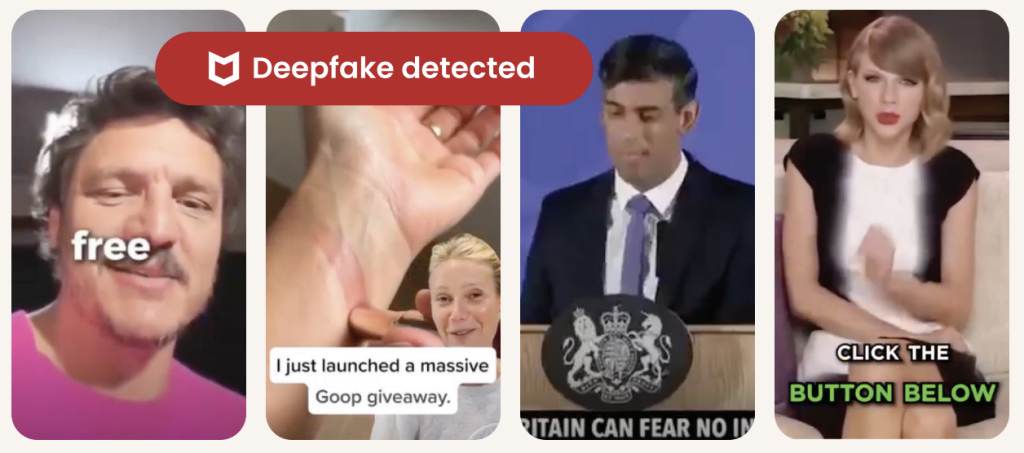
What started as a harmless sports prank is also a reminder of how realistic AI-generated videos have become and how easily scammers can use the same technology to fool people online.Â
Why Deepfake Scams Are Growing FastÂ
Deepfake scams use artificial intelligence to clone someoneâs face, voice, or likeness to create fake videos, ads, phone calls, or social media posts that appear real.Â
And increasingly, scammers are using celebrities, influencers, athletes, and trusted public figures to do it.Â
72% of Americans say theyâve seen fake celebrity or influencer endorsements onlineÂ
39% say theyâve clicked on oneÂ
1 in 10 victims lost money or personal dataÂ
Average losses reached $525 per personÂ
Why does it work? Because scammers know familiarity lowers our guard.Â
When people see a recognizable face, whether itâs Trevor Lawrence, Taylor Swift, Tom Hanks, or a favorite influencer, theyâre more likely to trust what theyâre seeing before stopping to question it.Â
From Funny Sports Videos to Real Financial ScamsÂ
The Jaguars video was meant as entertainment.Â
But scammers are already using the same technology for fraud.Â
McAfee researchers recently identified a growing wave of celebrity deepfake scams involving fake giveaways, investment schemes, romance scams, and fraudulent ads.Â
Some recent examples include:Â
Fake videos of TV personalities promoting âmiracleâ productsÂ
Usernames with extra characters or copied profile photosÂ
Requests for money or personal dataÂ
Especially through DMs, crypto links, gift cards, or wire transfersÂ
How McAfee Helps Protect YouÂ
AI scams are evolving fast, but layered protection can help you stay ahead of them.Â
McAfeeâs Scam Detector, included in all core McAfee plans, can help identify suspicious links, messages, videos, and deepfake-related scams across texts, email, and social platforms before you click.Â
Additional protections like Web Protection and Identity Monitoring can also help reduce your risk if scammers attempt to steal your credentials or personal information.Â
Other Scam News This WeekÂ
Charter Confirms Data BreachÂ
Charter Communications confirmed a data breach tied to a third-party vendor, exposing customer information. Whenever breaches like this happen, scammers often follow up with phishing emails and fake customer support calls pretending to help affected users.Â
7-Eleven Data Breach Reports SurfaceÂ
Reports surrounding a potential 7-Eleven data breach are circulating online. Consumers should stay alert for fake password reset emails, loyalty account phishing attempts, and scam texts impersonating retailers.Â
âTom Selleckâ Celebrity Scam Highlights Rise of AI Impersonation FraudÂ
A tragic case tied to an alleged Tom Selleck impersonation scam is drawing attention to the growing threat of celebrity AI fraud. Experts warn that scammers are increasingly using fake celebrity profiles, AI-generated messages, cloned voices, and deepfake videos to build trust with victims online, especially older adults. Â
The case underscores how emotionally manipulative and financially devastating these scams can become.Â
Hackers Are Exploiting AI Chatbot âPersonalitiesâÂ
Researchers told The Verge that attackers are beginning to manipulate chatbot behavior and personalities to trick users into unsafe actions, highlighting growing concerns around AI trust and social engineering.Â
Fake Inheritance Email Scams Are Getting More ConvincingÂ
A phishing scam making headlines this week uses fake inheritance notices and âunclaimed estateâ emails to pressure victims into sharing personal information.Â
Unlike older scam emails full of spelling mistakes, newer versions look polished and professional, often using legal-sounding language, fake reference numbers, and urgent 48-hour deadlines designed to trigger panic before people stop to verify the message.Â
McAfee Safety Tips This WeekÂ
The next deepfake wonât always look fake. Thatâs what makes these scams dangerous.Â
Here are some practical, go-to tips Â
Pause before clicking celebrity endorsements or viral videosÂ
Verify accounts through official sources before trusting promotionsÂ
Never send money or personal data based on social media messages aloneÂ
Be skeptical of urgency, especially âlimited timeâ threatsÂ
Use AI-powered scam protection tools to help identify suspicious content before you engageÂ
Your Windows PC or Mac already includes built-in security features, and thatâs a good thing. These tools provide an important first layer of protection against malware and other common threats users encounter every day.Â
But today, staying safe online is about much more than blocking viruses. Â
Scam texts arrive daily. Phishing emails imitate trusted brands. Fake websites are designed to steal passwords and payment information. Personal details can appear on data broker sites. AI Deepfakes are more convincing than ever. And most households use multiple devices, from laptops and phones to tablets and Chromebooks.Â
Thatâs why McAfee+ Advanced combines device security with scam protection, identity monitoring, personal info removal, web protection, and secure VPN to help protect the many parts of your digital life.Â
Letâs break down what built-in security does, and what McAfee does differently:Â
What Built-In Security Does WellÂ
Both Windows 11 and macOS include a range of built-in security features designed to help protect your device. Depending on your operating system and the apps you use, these may include:Â
Malware detection and removal Â
Firewalls Â
Browser warnings about suspicious websites Â
Password management tools Â
Privacy and app permission controls Â
Together, these features provide an important first layer of protection and help many users stay safer online. Â
Why Many People Want More Than Basic Device ProtectionÂ
Built-in security tools are primarily focused on protecting the device itself. However, todayâs online threats often target something even more valuable: your identity, your money, and your personal information.Â
Recent McAfee research found that Americans receive an average of 14 scam messages every day, and more than three in four have encountered an online scam.Â
Threats now commonly include:Â
Scam texts pretending to be banks, toll agencies, and delivery companies Â
Fake job offers via text, email, or social mediaÂ
Phishing emails Â
QR code scams Â
AI-generated voice and video impersonations Â
Identity theft via smishing and quishing, including hijacking entire social profilesÂ
Exposure of personal information on data broker sites Â
These risks can follow you across all your devices, not just the computer sitting on your desk.Â
Built-In Security vs. McAfee ProtectionÂ
Here are the key differences between built-in security alone, vs additional protection like McAfee. Â
Built-In Security HasÂ
McAfee+ Advanced AddsÂ
Detecting viruses and malwareÂ
Scam protection for suspicious texts, emails, links, QR codes, and deepfakesÂ
Basic privacy controlsÂ
Secure VPN to protect your connection on public Wi-FiÂ
Saving passwordsÂ
Password manager with unique password generation and storage.Â
Warning about some risky websitesÂ
Web Protection to help block dangerous sites before they loadÂ
Security on one deviceÂ
Antivirus coverage across your PCs, Macs, phones, and tabletsÂ
Doesnât have this supportÂ
Identity monitoring, so you know when your SSN and other info is exposed. Plus personal info removal, so your old data isnât left spread out across the web.Â
Why McAfee Stands Out: Speed and Comprehensive ProtectionÂ
Unlike the old stereotype that stronger protection means a slower computer, independent testing shows McAfee is also the lightest on performance. Â
In the latest AV-Comparatives PC Performance Test, McAfee Total Protection posted the lowest system impact score of all 20 products tested: just 3.3, compared with the industry average of 12.8. Â
It also earned the highest possible rating, ADVANCED+. That means McAfee is not just adding more layers of protection. It is doing so while staying out of your way.Â
For consumers looking for security that goes beyond basic antivirus to help protect against scams, identity theft, privacy risks, and threats across all their devices, that combination is hard to ignore.Â
Protection Across All Your DevicesÂ
Most people no longer rely on a single computer. A typical household may use:Â
Windows PCs Â
Macs Â
iPhones Â
Android phones Â
Tablets Â
Chromebooks
Managing security separately on every device can be difficult. McAfee+ Advanced is designed to provide coverage across your devices under one subscription, helping simplify online protection for individuals and families.Â
How McAfee+ Advanced Goes Beyond Built-In SecurityÂ
With McAfee+ Advanced, multiple layers work together before any damage is done: Â
Scam Detector flags suspicious texts, emails, links, QR codes, and even deepfake videos before you engageÂ
Secure VPN keeps your data private, especially on public Wi-Fi Â
Web Protection helps block risky sites, even if you do accidentally click  helps block risky sites, even if you do accidentally click  Â
Password Manager doesnât just help you make unique, strong passwords, it keeps them stored and organized for you
Device Security helps detect malicious apps or downloads  Â
Identity Monitoring alerts you if your personal info shows up where it should not, so you can act fast  Â
Online Account Cleanup assists in taking down your old, forgotten accounts across the webÂ
Social Privacy Manager helps you monitor and change privacy settings across your social platforms in just a few clicksÂ
Together, these protections are designed to address the broader range of online risks people face every day.Â
So, Do Windows PCs and Macs Need Antivirus Software?Â
Built-in security tools provide an important starting point, but with scam attempts becoming more convincing and personal information more widely exposed, many people need a more comprehensive approach to staying safe online.Â
McAfee+ Advanced combines device security, scam protection, identity monitoring, privacy tools, and VPN coverage to help you browse, bank, shop, and connect with greater confidence.Â
According to reports from Hong Kong police in February, a finance worker at a multinational company joined a video conference call with the companyâs chief financial officer. On the call, the CFO directed the finance worker to transfer more than $25 million in funds to several bank accounts.
The finance worker reportedly had reservations about the request, thinking that the CFO looked âa little off.â The finance worker then reportedly turned to the other participants on the call for confirmation. They all agreed to the request. With that, the transfers went through. More than $25 million in funds were moved out of the company. Right into the hands of fraudsters.
As it turns out, the CFO on the workerâs call was a video deepfake. Along with everyone else.
Hong Kongâs public broadcaster, RTHK, quoted senior police superintendent Baron Chan as saying that AI deepfake technology was used to dupe the worker.
â[The fraudster] invited the informant [worker] to a video conference that would have many participants. Because the people in the video conference looked like the real people, the informant ⌠made 15 transactions as instructed to five local bank accounts, which came to a total of HK$200 million,â he said.
Fraudsters now use AI deepfakes to pull off corporate scams
Businesses now face an altogether new security threat: video deepfakes. In real time, scammers can pose as company officers, vendors, partners, and so on. Put plainly, we live in a time where the person on the other end of that video call might be a fake.
Scammers face several challenges before they can pull off a deepfake attack. The primary challenge they have is obtaining source material. To create a deepfake, they need images, video, and audio of the person they want to impersonate. Consider, though, that some company officials have relatively high profiles. They speak at conferences, hold webinars, and participate in earnings calls. Throw in a few photos and videos lifted from the targetâs social media accounts, and scammers have the source material they need to create a deepfake.
The next challenge ⌠scammers need a good story, one with emotional levers they can pull and coerce a victim to act. In the case of the Hong Kong scam, the deepfakes plied their victim with a mix of urgency and authority. The âCTOâ wanted to move money and move that money immediately. With the other deepfakes on the call concurring with the CTO, the victim did as asked. In all, it was a classic case of a hand-picked victim subjected to a classic execution of social engineering.
Understandably, this story drew major coverage given the use of deepfakes and the haul they brought in. Moreover, the fact that the fraudsters orchestrated not just one but a host of deepfakes makes it that much more newsworthy. In light of this, companies and their employees have a new threat to look out for. And, better yet, prepare themselves for deepfakes.
Preventing corporate AI deepfake scams
While AI deepfakes hopping onto video conference calls certainly marks new territory in security, several long-standing measures for preventing corporate fraud remain the same. Additionally, some new preventive measures are called for.
Look for the signs of AI deepfakes
Earlier, we mentioned how the victim in the Hong Kong attack mentioned that the CFO looked âa little offâ on the video call. AI deepfakes, while convincing, sometimes have the tell-tale markers of a fake.
However, thatâs changing. Quickly. As the tools for creating deepfakes continually improve, deepfakes become increasingly difficult to spot.
Earlier generations of deepfake tools had difficulty tracking excessive head movement, like when the deepfake turned for a profile shot. Further, earlier tools required users to keep their hands off their faces. Placing a hand on the chin or over the mouth would break up the face of the deepfake. Another marker of earlier deepfake tools can be found in the eyes. They often had a glassy look, like they werenât catching the light right. The same went for skin tones and lighting.
So yes, a deepfake might look âa little off.â Consider that a huge red flag. Yet donât entirely count on this method of detection. As AI deepfake tools evolve, theyâre able to remove such blemishes from the video.
Confirm, confirm, and confirm
Any time that sensitive info or sums of money are involved, get confirmation of the request. Place a phone call to the person after receiving the request to ensure itâs indeed legitimate. Better yet, meet the individual in person if possible. In all, contact them outside the email, message, or call that initially made the request to ensure youâre not dealing with an imposter.
In the wake of targeted attacks on key stakeholders, some organizations have restructured how they handle requests for data, funds, and other sensitive information. They require two or three people to fulfill such a request. This makes it tougher for scammers to run their cons. For starters, they have the burden of targeting two or more people. Then they face the further burden of convincing them all. This oversight gives companies a chance to fully validate requests, and potentially catch âurgentâ bogus requests from scammers.
Fraudsters do their research â keep your guard up
Fraudsters select their victims carefully in these targeted attacks. They hunt down employees with access to info and funds, and then do their research on them. Using public records, data broker sites, âpeople finderâ sites, and info from social media, fraudsters collect intel on their marks. Armed with that, they can pepper their conversations with references that sound more informed, more personal, and thus more convincing. Just because whatâs being said feels or sounds somewhat familiar doesnât always mean itâs coming from a trustworthy source.
Clean up your online presence
With that, employees can reduce the amount of personal info others can find online. Features likeMcAfee Personal Data Cleanup can help remove personal info from some of the riskiest data broker sites out there. I also keep tabs on those sites if more personal info appears on them later. Additionally, employees can set their social media profiles to private by limiting access to âfriends and family only,â which denies fraudsters another avenue of info gathering. Using our Social Privacy Manager can make that even easier. With just a few clicks, it can adjust more than 100 privacy settings across their social media accounts, making them more private.
Defense against AI deepfake attacks
Moving forward, we can expect to see more of these corporate AI deepfake attacks. On all manner of scales. The availability and power of AI tools make it likely. However, as with many forms of targeted attacks, thereâs something both fishy and uncanny about them. As weâve seen, the employee targeted in the Hong Kong attack held suspicions ⌠something was wrong about that call. Yet, who would expect a video conference call full of AI deepfakes? With this attack, companies should consider that such calls fall within the realm of possibility today.
As AI detection technologies evolve, companies will have additional tools to prevent these attacks. Yet the human factor remains an essential element of defense. These are scams, pure and simple. And scams have signs. Fraudsters use all kinds of social engineering tricks to get their victims to act. Theyâll impose themselves as authority figures. Theyâll add elements of urgency to their requests. And theyâll use peopleâs personal info in ways to make themselves appear familiar and trustworthy.
This is where we stand today: a basic understanding of AI deepfake technology, what itâs capable of, and the tricks that fraudsters can play with it can bolster a companyâs defense against AI deepfake attacks. Indeed, theyâre within the realm of possibility today. And a prepared workforce can help stop them in their tracks before they can do any harm.
Romance scammers now use face-swapping tech in video chats, all to swindle love-seekers online.
Itâs finally come to pass. We indeed live in a time where that person on the other end of a video call might be an absolute imposter. The way they look and the way they sound, all a lie.
A recent article in WIRED shows just how this new form of romance scam works. With a laptop or a couple of smartphones, the cons transform their looks and voices entirely with stock-and-trade AI tools. In real time, they become someone else entirely, with AI mirroring every expression they make as they chat on a video call. It all appears quite real.
Yet a deepfake it is.
Deep feelings and deepfakes fire up AI romance scams
Chilling as this striking new form of attack sounds, you can protect yourself. In fact, many of the same tried-and-true means of avoiding a romance scam still apply.
Even when scammers use real-time deepfakes, the heart of these romance scams remains the same. It plays out like a script. And when you know the script, you can spot the scammer following it.
Romance scams play out a bit like this âŚ
The scammer contacts a love-seeker online, often through direct messages on social media or via text or messaging apps. Sometimes the message is targeted and personalized. In other cases, the scammer might start things off with a simple âhi.â Either way, the scammer aims to kick off a conversation. A long one in which the scammer builds trust with a victim over time.
Days, weeks, and even months pass as the scammer woos their victim. Patiently, they wait for the right moment to pounce by finally asking the victim for money. Maybe itâs gift cards. Maybe itâs prepaid debit cards. A wire transfer, perhaps. Almost always, itâs a form of payment thatâs tricky, if not impossible, to recover after victims realize theyâve been scammed. Scammers have even asked for cryptocurrency in some cases.
The reasons for requesting money vary. The scammer might say itâs for a plane ticket to come visit or simply a few bucks to help them in a pinch. Other scammers heap on yet more elaborate lies. Some pose as members of the military stationed in a remote overseas location. Theyâll say they want some extra money for a video game console or other creature comfort. Some scammers brazenly claim theyâre a doctor working in a remote village and need money for medicine. The list goes on.
As outlandish as the stories and requests might be, victims fall for them. After all, the scammer has been fawning over the victim for some time by that point. The victim truly feels like theyâre truly in love with someone who truly loves them. Theyâll do anything for their love interest, who turns out to be a scammer and, one day, disappears entirely.
Scammers have ready access to deepfake tools, ones that make them look and sound convincingly real. Moreover, these deepfake tools continually improve. With each generation of deepfakes, they become increasingly difficult to detect.
As a result, we canât take things at face value. Everything we see and hear online requires scrutiny. And scrutiny is what it takes to protect yourself from deepfake romance scams.
Watch the personâs movements on the call
Less sophisticated deepfake tools struggle to track body movement. As such, scammers do their best to hold their heads steady and avoid turning around. Otherwise, that kind of movement ruins the deepfake effect. Itâs quite obvious when it happens. With that, see if you can get a suspected deepfake to move around, stand up, turn for a sideways profile, or place their hands on their face. Lesser deepfakes will reveal themselves when they do.
Talk with trusted friends or family members
Beyond keeping a sharp eye out for glitches, you have another detection tool at your disposal â friends and family. When a new relationship starts heating up, share the news with some trusted people in your life. Talk about your interactions with the person, even share a message theyâve sent or two. Victims often miss or overlook inconsistencies in a romance scammerâs stories, particularly as the supposed relationships develop.
Friends and family can help you spot those inconsistencies. They can also point out when parts of the relationship start to sound sketchy. Given the way that scammers pull all kinds of strings on their victims, this can help clear up any clouded judgment.
When a stranger youâve only met online brings up money, consider it a scam
Money talk is an immediate sign of a scam. The moment a person youâve never met in person asks for money, put an end to the conversation. Whether they ask for bank transfers, cryptocurrency, money orders, or gift cards, say no.
End the conversation
You might say no, and the scammer might back off â only to bring up the topic of money again later. This is a signal to end the conversation. That persistence is a sure sign of a scam. Recognize that ending an online relationship might be far easier said than done, as the saying goes. Scammers worm their way into the lives of their victims. A budding friendship or romance might be at stake, at least thatâs what a scammer wants you to think. They deal in emotional blackmail to get what they want. Tough as it is, end the relationship.
How to make it tougher for a romance scammer to target you
Scammers have to track you down in some way or other. And they have plenty of online resources to do it. Some romance scammers take an extra step. They profile their potential victims before contacting them. With the info theyâve gathered online, they can fine-tune their approach.
For example, weâve seen cases where scammers target widowers with bogus profile pics that share similarities with the widowerâs deceased spouse.
While you canât keep a scammer from reaching out to you, you can make it tougher for them to find you and use your own info against you.
Make your social media more private
Our new McAfee Social Privacy Manager personalizes your privacy based on your preferences. It does the heavy lifting by adjusting more than 100 privacy settings across your social media accounts in only a few clicks. This makes sure that your personal info is only visible to the people you want to share it with. It also keeps it out of search engines, where the public can see it. Including scammers.
Watch what you post on public forums
As with social media, scammers harvest info from online forums dedicated to sports, hobbies, interests, and the like. If possible, use a screen name on these sites so that your profile doesnât immediately identify you. Likewise, keep your personal details to yourself. When posted on a public forum, it becomes a matter of public record. Anyone, including scammers, can find it.
Remove your info from data brokers that sell it
McAfee Personal Data Cleanup helps you remove your personal info from many of the riskiest data broker sites out there. That includes your contact info. Running it regularly can keep your name and info off these sites, even as data brokers collect and post new info. Depending on your plan, it can send requests to remove your data automatically.
Memorial Day weekend officially kicks off summer, and for millions of Americans, that means road trips, flights, cookouts, and a little online shopping for the deals.Â
Unfortunately, scammers know this. They count on the fact that youâre distracted, youâre moving fast, and youâre probably connected to a network you donât own.Â
Here are five scams surging this holiday weekend, what they look like, and how to stay ahead of them.
1. Fake Travel Alerts from âYour Bankâ or Hotel
Youâre packing your bag when a text arrives: âUnusual activity detected on your account. Verify now to avoid suspension.â Â
It looks like itâs from your bank, or maybe your hotel loyalty program. Thereâs a link. Thereâs urgency. And thatâs exactly the point.Â
These are brand impersonation scams, and theyâre a dominant tactic year-round, but they spike around travel holidays when people are actively monitoring reservations and accounts. Â
Example of a fraudulent AMEX message.
According to McAfee research, trusted brands like banks, airlines, and hotels are among the most commonly impersonated, and email scams impersonating retail and financial brands have surged up to 85% as major holidays approach.Â
The message will typically ask you to click a link and âconfirm your detailsâ to secure your account or honor a reservation. That link leads to a convincing-looking fake site designed to capture your login credentials, payment info, or both.Â
How to Avoid Travel Alert Scams:Â Â
Donât click links in unsolicited texts or emails. Â
Go directly to the companyâs app or website by typing the URL yourself. Â
Remember: pressure is a tactic, not customer service. Â
McAfeeâs Scam Detector can flag suspicious messages before you interact with them, whether they come via text, email, or social media.Â
2. Fake Memorial Day Weekend âDealsâ
Memorial Day is one of the biggest shopping weekends of the year. Scammers treat it like an open invitation.Â
Fraudulent retailers flood social feeds with too-good-to-be-true deals on everything from patio furniture to electronics, often impersonating legitimate brands with copycat websites and paid ads.Â
According to McAfeeâs holiday shopping research, 91% of shoppers see ads from unfamiliar retailers, 37% say they might buy from a brand they donât recognize, and a full 40% of consumers have abandoned a purchase out of fear that the deal wasnât real.Â
The most impersonated brands in McAfeeâs research span luxury labels (Coach, Dior, Gucci) to mainstream favorites (Apple, Samsung, Nintendo, Disney), exactly the kind of items that show up in âblowout saleâ ads. Fake storefronts have grown significantly, with technology URL scams rising nearly 50%.Â
Once shoppers enter their payment details on a fraudulent site, that information goes directly to criminals. The average scam loss during the holiday shopping period runs around $840 per victim.Â
How to Avoid Shopping Scams:Â Â
Type retailer URLs directly into your browser instead of clicking through ads or social posts. Â
Look for HTTPS and double-check the domain carefully before entering any payment info. Â
If a deal looks unbelievably good, verify it on the retailerâs official app before buying. Â
McAfeeâs Web Protection blocks malicious and suspicious sites before they load, including fake checkout pages.Â
3. QR Code Scams at Gas Stations and Travel Stops
If youâre road-tripping this weekend, you may scan a QR code somewhere. It could be at the gas pump, a rest stop, a parking meter, or a roadside attraction. Scammers know this too.Â
Criminals increasingly place fake QR codes over legitimate ones on gas station pumps, parking kiosks, and public signs. When you scan, youâre redirected to a convincing-looking payment or login page that captures your financial information. This is known as âquishingâ or phishing via QR code.Â
McAfee research shows just how widespread this risk has become: 68% of people scanned a QR code in the past three months, and 18% ended up on a suspicious or unsafe page after scanning. Among those who did, more than half took a risky action like entering personal information, installing an app, or connecting a digital wallet.Â
How to Avoid Sketchy QR Codes:Â Â Â
Before scanning any QR code in public, look closely at the sticker or sign. Â
If it looks like itâs been placed over something else, skip it. Â
If you do scan, check the URL before proceeding. Â
McAfeeâs Scam Detector now includes instant QR code safety checks that assess risk before you tap, so youâre not flying blind at the gas pump.Â
This shows how McAfee blocks unsafe QR codes.
4. Public Wi-Fi Traps at Airports, Hotels, and Coffee Shops
Whether youâre waiting at the airport or grabbing coffee before hitting the highway, free Wi-Fi can feel like a gift. But not every âfree Wi-Fiâ network is what it appears to be.Â
Hackers set up what are called âevil twinâ networks, hotspots with names designed to look exactly like the legitimate network at the airport, hotel, or cafĂŠÂ youâre in. Â
The moment you connect, they can use tools called packet sniffers to capture the data you send and receive: passwords, banking credentials, credit card numbers, email logins. Â
According to McAfeeâs travel research, 63% of travelers connect to public Wi-Fi, and 49% use airport Wi-Fi, making these among the riskiest behaviors travelers engage in without realizing it.Â
Some of these fake networks go further, presenting a phony login screen that captures your username and password for popular services like Google or Apple before you even realize youâve been compromised.Â
How to Avoid Malicious Wi-Fi :Â
Always confirm the exact Wi-Fi network name with staff before connecting. Â
Turn off auto-join for Wi-Fi on your devices. Â
And most importantly: use a VPN. Â
A VPN creates an encrypted tunnel for your internet traffic, so even if a hacker intercepts it, theyâll only see scrambled data. McAfeeâs VPN is included in McAfee+ plans and automatically connects when you join public Wi-Fi, exactly the protection you want when youâre traveling and connecting everywhere.
5. Toll Road and Parking Text Scams (Expect a Surge After the Weekend)
You may have seen these already: a text that says you owe an unpaid toll or parking fee, with a link to pay before penalties kick in. These scams have been circulating for a while, and thereâs a good chance Memorial Day weekend is about to make them worse.Â
Scammers track news cycles and know that millions of Americans will be driving this weekend, many of them through toll roads and unfamiliar areas. Â
That means they can blast out fake âunpaid tollâ texts after the holiday and a significant percentage of recipients will think: âActually, I did drive somewhere new this weekend.â That uncertainty is exactly what theyâre counting on.Â
Fake court notices threatening parking and toll violations have been making the rounds this spring.
These texts typically impersonate EZPass, SunPass, or state transportation departments and create urgency around a small fee to avoid larger fines. The link leads to a fake payment page designed to steal your credit card details.Â
How to Avoid Toll Scams:Â Â Â
Donât click links in unsolicited toll or parking texts. Â
If you think the charge might be legitimate, go directly to your stateâs official toll authority website and look up your account there. Â
Real toll agencies will not threaten immediate penalties over text with a payment link. Â
If you receive one of these texts after this weekend, treat it as suspicious by default.Â
Have a Safe Memorial Day WeekendÂ
Scammers donât take holidays. If anything, long weekends are peak season. The good news: a little awareness goes a long way. Slow down before you click, verify before you scan, and protect your connection before you log on.Â
McAfee+ Advanced comes with layered protection across all the moments where scams are most likely to strike, from the gas station to the hotel lobby to your inbox. Â
Youâre comparing airfare on your phone, watching prices climb by the hour, when a deal pops up that feels just good enough to grab. The timerâs ticking. The price looks right. You donât want to miss it.Â
That moment, when youâre rushing to lock something in, is exactly where scams thrive.Â
New McAfee research shows that more than 1 in 3 Americans have encountered a travel-related cyberthreat, and 41% of those impacted lost money, often exceeding $500.Â
This shows a screenshot of a fake Booking.com website detected by McAfee that was attempting to trick users into running malicious script/code
At the same time, rising travel costs and time pressure are pushing people to make faster, riskier decisions. Those are the exact conditions scammers rely on.Â
Thatâs where protection has to show up earlier.Â
McAfeeâs Scam Detector lets you check suspicious links, messages, and booking sites before you click, so you can pause and verify instead of giving scammers the edge.Â
Travel Scams, Red Flags, and How McAfee Protects YouÂ
Travel Scam TypeÂ
Key Red FlagsÂ
How McAfee HelpsÂ
Fake travel dealsÂ
Prices far below market, pressure to âbook now,â sites youâve never heard ofÂ
Scam Detector flags suspicious links and explains why theyâre risky, so you can avoid fake deals before you bookÂ
Fake booking confirmationsÂ
Unexpected messages about bookings you didnât make, mismatched sender detailsÂ
Scam Detector analyzes messages before you engage, helping you avoid fake confirmationsÂ
Fake airline/hotel websitesÂ
Slight URL changes, poor design, being pushed to pay immediately or off-platformÂ
Safe Browsing helps block risky sites before you enter payment details, reducing the chance of fraudÂ
Payment requests outside platformsÂ
Asked to pay via wire transfer, crypto, or direct payment instead of official platformsÂ
Scam Detector flags suspicious payment requests, helping you avoid sending money to scammersÂ
QR code scamsÂ
QR codes posted in public with no clear source or contextÂ
Scam Detector checks QR links before they open, so you donât land on malicious sitesÂ
Customer service impersonationÂ
Calls or messages asking for login credentials or payment infoÂ
Scam Detector detects deepfake AI audio impersonation attempts, helping you avoid sharing sensitive informationÂ
AI-generated listingsÂ
Photos that look overly polished, details that donât quite match upÂ
Open networks with no password or security promptsÂ
VPNÂ helps protect your data on public networks, keeping your personal information privateÂ
The Findings From Our 2026 Travel ResearchÂ
McAfee Labs found that many travel scams work because they look familiar and spread fast. Â
TripAdvisor was the most commonly impersonated travel app, cloned at roughly three times the rate of other major platforms like Kayak, Expedia, and Booking.com. Â
In some cases, thousands of scam detections traced back to just a handful of fake apps, showing how quickly a convincing scam can take off when travelers are racing to book.Â
Top 5 Ways Rising Travel Costs Are Driving Risky DecisionsÂ
Our 2026 travel survey shows how rising prices and lastâminute pressure are changing traveler behavior, often in ways scammers exploit.Â
1. Booking faster than usual 90% feel pressure to act quickly Â
2. Choosing cheaper deals without verifying 32% would book before confirming legitimacy Â
3. Ignoring red flags 33% admit theyâve done it Â
4. Trusting messages that look legitimate 41% trust airline/hotel messages without verifying Â
5. Clicking links without checking the source 20% click first, verify later (or not at all)Â Â
The Travel Scams People Are Most Likely to Fall For
According to our consumer survey findings, those who reported falling for a travel scam said these were the methods scammers used to trick them:
1. Fake travel deals or promotions (15%)
2. Scam booking confirmations or updates (15%)
3. Manipulated accommodation listings or photos (15%)
4. Payment requests outside official platforms (11%)
5. Fake vacation rental listings (10%)
6. Fake airline or hotel websites (9%)
7. Customer service impersonation (9%)
8 Ways Travelers Put Themselves at Risk Without Realizing It
These common traveler behaviors are popular avenues for criminals to steal your information, data, and money.
1. Connecting to public Wi-Fi (63%) Â
2. Scanning QR codes without verifying (62%) Â
3. Using airport Wi-Fi (49%) Â
4. Trusting travel-related messages (41%) Â
5. Logging into financial apps on public Wi-Fi (22%) Â
6. Sharing travel plans in real time (22%) Â
7. Clicking travel links without verifying (20%) Â
8. Using shared/public computers (15%) Â
How McAfee Protects You Before, During, and After Your TripÂ
As prices rise and decisions happen in real time, itâs easy to prioritize convenience over caution. But thatâs exactly the moment when small checks matter most.Â
Stage of TravelÂ
Whatâs HappeningÂ
How McAfee HelpsÂ
Before You BookÂ
Comparing deals, clicking promotions, booking flights and hotels under time pressureÂ
Scam Detector checks links, messages, and booking sites before you click, helping you avoid fake deals and scam listingsÂ
During Your TripÂ
Connecting to public Wi-Fi, scanning QR codes, receiving travel updates and alertsÂ
VPNÂ helps secure your connection on public Wi-Fi, while Scam Detector flags suspicious messages and unsafe links in real timeÂ
After Your TripÂ
Accounts remain active, travel data stored across platforms, potential exposure from breachesÂ
Identity Monitoring alerts you if your personal information appears online, helping you act quickly before damage spreadsÂ
With McAfee+ Advanced, multiple layers work together so youâre not left figuring it out after the damage is done. Â
Spend more time on your vacation, and less time worrying about scammers who want your vacation fund.Â
McAfee Total Protection just took first place in the latest AV-Comparatives PC Performance Test, the gold standard for measuring how much (or how little) security software slows down your computer. Â
With an overall impact score of 3.3 out of a possible 100, McAfee outperformed all 19 other security products tested and earned the highest possible rating:Â 3 Stars ADVANCED+.Â
The industry average? 12.8. McAfee came in nearly 4x lower than that. The lower the impact score, the less the software gets in your wayÂ
What Is the AV-Comparatives PC Performance Test?Â
AV-Comparatives is an independent cybersecurity testing lab that has been rigorously evaluating security software since 1999. Unlike a review written by a single journalist or a score based on a companyâs own claims, AV-Comparatives tests are:Â
Independent: delivers unbiased, dataâdriven evaluations of security products Â
Standardized:Â every product is tested under the same conditionsÂ
Widely trusted: regularly cited in product roundups, expert reviews, and buying guides that shape how consumers choose security softwareÂ
The PC Performance Test specifically measures how much a security product impacts your computerâs everyday speed. Testing is conducted on a real Windows 11 machine (Intel Core i3, 8GB RAM, SSD) with all default settings enabled and an active internet connection. Thatâs the same setup millions of everyday users have at home.Â
The lower the impact score, the less the software gets in your way.
What McAfeeâs Score Actually MeansÂ
McAfee Total Protection scored 3.3, the lowest impact score of all 20 products tested, and well below the industry average of 12.8.Â
Hereâs a simple way to think about it: if the average security product takes a measurable toll on your machine while it works in the background, McAfee barely registers. You get full, always-on protection without the sluggishness that frustrates so many users.Â
This result earned McAfee the ADVANCED+ rating, the highest tier AV-Comparatives awards, reserved for products that deliver top-tier performance with minimal system impact.Â
Why âLightweightâ Protection Matters More Than You ThinkÂ
Thereâs a common misconception that stronger protection means a heavier, slower product. McAfeeâs results prove otherwise.Â
When your security software is slow, you notice it:Â
Apps take longer to openÂ
Downloads feel sluggishÂ
Your machine lags during everyday tasksÂ
Youâre tempted to disable protection to get your speed back, leaving yourself exposedÂ
A lightweight product means protection that works quietly in the background, without making you choose between safety and performance. Thatâs the promise behind McAfeeâs result, and itâs now independently verified.Â
AV-Comparatives Test Results
Â
First Place, But Not for the First TimeÂ
This isnât a one-off result. McAfee has earned the ADVANCED+ rating consistently across multiple rounds of AV-Comparatives testing, demonstrating that this level of performance isnât luck. Itâs the result of deliberate, sustained engineering.Â
Independent, repeatable results like these are what separate marketing claims from proven performance.Â
With McAfee, you get award-winning protection and award-winning performance, so your devices stay secure without slowing you down.Â
Which McAfee Plans Include This Protection?Â
The same AI-powered threat protection validated in this test is built into every major McAfee plan:Â
McAfee+ PremiumÂ
McAfee+ AdvancedÂ
McAfee+ UltimateÂ
McAfee Total ProtectionÂ
McAfee LiveSafeÂ
Whether youâre protecting one device or an entire household, youâre getting the same industry-leading, independently verified performance under the hood.Â
A text that looks like it came straight from a courthouse is making the rounds across the U.S. And yes, I got it too.Â
First things first, thatâs a scam. And to be clear: DONâT SCAN THAT QR CODE.Â
Itâs the same playbook as last yearâs toll road scams, just dressed up with a little more authority and a lot more pressure.Â
Before doing anything, our team ran it through McAfeeâs Scam Detector. It immediately flagged the message as suspicious, and thatâs exactly the kind of moment this tool is built for. When something feels just real enough to second guess, it gives you a clear signal before you click, scan, or spiral.Â
The text claims youâve missed a payment, violated a law, or have some kind of outstanding âcase.â It then pushes you to scan a QR code or click a link to resolve it quickly.Â
From there, one of two things usually happens:Â
Youâre taken to a fake payment page designed to steal your money, orÂ
Youâre prompted to download something that gives scammers access to your device or data Â
Either way, the goal is the same: get you to act fast before you have time to question it.Â
Hereâs the scam text I got in California. Youâll notice it looks exactly like the others across the country.Â
The red flags in this messageÂ
Urgent, threatening language about fines, penalties, or legal action Â
Vague accusations with no real details about what you supposedly did Â
Official-looking formatting like case numbers, clerk signatures, and judge names Â
Copy-paste consistency across states: McAfee employees in New York and California received nearly identical messages with the same names Â
There are reports of this scam popping up nationwide, but the rule is simple: law enforcement does not text you to demand payment or resolve legal issues.Â
What to do if you scanned the QR codeÂ
First, donât panic. Then:Â
Do not pay anything or enter personal information Â
Do not delete apps you were told to install (this can make it harder to detect what happened) Â
Run a device scan using a trusted security tool like McAfeeâs free antivirus Â
Keep an eye on your financial accounts and logins for unusual activity Â
And that, my friends, is scam number one in this weekâs This Week in Scams (new format, weâre experimenting a little). Â
Letâs get into what else is on our radar.Â
Deepfake Celebrity Ads Are Targeting Seniors on Social Media. Hereâs What a New Study Found. Â
If you saw our story last year about Al Roker speaking out after scammers used an AI-generated version of him to promote a fake hypertension cure, or the shocking case of a French woman who lost nearly $900,000 to fraudsters posing as Brad Pitt, you already know just how convincing celebrity deepfake scams have become.Â
Now, new reporting suggests these scams are reaching older adults at enormous scale.Â
According to a new study from the Center for Countering Digital Hate, just 30 of the most active scam advertisers on Facebook generated an estimated 215 million ad impressions over the past year. Nearly 73% of those impressions were shown to adults over 65.Â
The fake ads used AI-generated versions of well-known figures including Donald Trump, Joe Biden, Oprah Winfrey, Steve Harvey, and Brad Pitt to promote fake government benefits, miracle health products, and bogus financial offers.Â
These are some of the AI-generated and photoshopped images used by scammers last year to convince a woman she was dating Brad Pitt.
What McAfeeâs Data Says About Celebrity Deepfake ScamsÂ
72% of Americans have seen a fake celebrity or influencer endorsement online Â
39% have clicked on one of these ads or posts Â
1 in 10 lost money or personal information Â
Average losses reached $525 per victim Â
The celebrities most commonly exploited in the U.S. included Taylor Swift, Scarlett Johansson, Jenna Ortega, and Sydney Sweeney, while Brad Pitt also ranked prominently on the global list. Â
When a familiar face appears in your social feed, whether it is Al Roker recommending a health product or Brad Pitt asking for help, your guard naturally drops.Â
And AI is making these fakes harder to detect.Â
McAfeeâs 2026 State of the Scamiverse found that Americans now encounter an average of three deepfakes every day, yet more than one in three say they are not confident they can identify one.Â
In other words, scammers are weaponizing the faces people know best to make fraud feel familiar.Â
How to Spot a Deepfake on Social MediaÂ
Celebrity deepfakes are designed to look convincing, but there are still clues that something is off. If you see a video of Oprah Winfrey, Al Roker, or Brad Pitt promoting a miracle cure, government benefit, or investment opportunity, pause before you click.Â
Here are some of the biggest red flags to watch for:Â
Red Flag Â
What to Look For  Â
Too-good-to-be-true offersÂ
The video promises free grocery money, secret Medicare benefits, guaranteed investment returns, or miracle health cures.Â
Out-of-character endorsementsÂ
A celebrity appears to promote a random supplement, financial opportunity, or government program that seems unrelated to their normal work.Â
Robotic or unnatural voiceÂ
The speech sounds overly smooth, lacks natural pauses, or has strange pacing and tone.Â
Lip-sync issuesÂ
The celebrityâs mouth movements do not perfectly match the words being spoken.Â
Unnatural facial expressionsÂ
Blinking, smiling, and head movements appear stiff, overly polished, or slightly off.Â
Urgent languageÂ
The ad pressures you to âAct now,â âClaim your benefits today,â or âLimited spots available.âÂ
Suspicious linksÂ
Clicking leads to a website you do not recognize or that does not match the company or organization being referenced.Â
No confirmation elsewhereÂ
Trusted news outlets and the celebrityâs verified accounts do not mention the same announcement or offer.Â
When in doubt, go directly to the celebrityâs verified social account or search trusted news sources to confirm the information. And if something feels off, trust your instincts. In the age of AI, seeing is no longer believing.Â
How McAfee Helps You Stay Ahead of These ScamsÂ
McAfee+ Advanced gives you multiple layers working together so youâre not left figuring it out in the moment:Â
Scam Detector flags suspicious texts, emails, links, and even deepfake videos before you engage Â
Safe Browsing helps block risky sites if you do click or scan Â
Device Security helps detect and remove malicious apps or downloads Â
Identity Monitoring alerts you if your personal info shows up where it shouldnât, so you can act fast Â
Personal Data Cleanup helps remove your information from data broker sites, making you a harder target in the first place Â
Secure VPN keeps your data private, especially on public Wi-Fi Â
Safety tips to carry into next weekÂ
Slow down when a message creates urgency. Thatâs the hook Â
Donât scan QR codes or click links from unexpected texts Â
Go directly to official websites instead of using links sent to you Â
Use tools that flag scams in real time so you donât have to guess Â
Donât trust celebrity endorsements posted to social media unless they come directly from a celebrityâs official pageÂ
The reality is, these scams are designed to look normal. You shouldnât have to be an expert to spot them. Thatâs why McAfeeâs here to help.Â
Weâll be back next week with more scams making headlines.Â
McAfee Labs has recently uncovered a large scale CountLoader campaign that uses multiple layers of obfuscation and staged payload delivery to evade detection and maintain persistence in infected systems. The infection process relies on several layers of loaders, including PowerShell scripts, obfuscated JavaScript executed through mshta.exe, and in memory shellcode injection, each stage decrypting and launching the next. The attackers employ a custom encrypted communication protocol to interact with their C2 servers. By registering a backup domain used by the malware, we were able to sinkhole the traffic and observe thousands of infected machines connecting to the C2 infrastructure. Final payload deployed in this campaign is a cryptocurrency clipper, which monitors clipboard activity and replaces copied wallet addresses with attacker controlled ones to redirect cryptocurrency transactions.Â
SinkholingÂ
Sinkholing is a defensive technique in which researchers take control of malicious domains or infrastructure used by malware. Instead of allowing infected systems to communicate with attacker controlled C2 servers, the traffic is redirected to a researcher controlled server. This approach enables researchers to monitor infected hosts, collect telemetry, measure the scale and spread of a campaign.Â
Key FindingsÂ
McAfee researchers identified a large-scale CountLoader campaign using multi-stage payload delivery and heavy obfuscation techniques.Â
Researchers successfully sinkholed malware communication using a backup C2 domain, enabling visibility into the campaignâs infrastructure and infected hosts.Â
The sinkhole received approximately 5,000 connections per minute from infected systems.Â
Telemetry collected during the investigation revealed around 86,000 unique infected machines.Â
The malware also spreads through USB drives, with approximately 9,000 infections attributed to removable media.Â
The final payload deployed in this campaign is cryptocurrency clipper malware that hijacks clipboard data to redirect cryptocurrency transactions.Â
C2 Sinkholing and Geographical Prevalence Â
As the malware contacts the C2 servers in the reverse order and only hell1-kitty[.]cc was used by attackers, we were able to register hell10-kitty[.]cc and were able to gain insights into the campaign.Â
Figure 1: Sinkholing malware communication
On average, around 5,000 infected clients contacted our server every minute.Â
In total, we observed approximately 86,000 unique infections.Â
Telemetry collected revealed that this CountLoader campaign has a broad global footprint. The highest number of infections were observed in India, followed by Indonesia, the United States, and several countries across Southeast Asia.Â
Figure 2: Global distribution of CountLoader infections.
ConclusionÂ
CountLoader is a multistage malware loader that uses obfuscated JavaScript and trusted Windows utilities to deliver additional payloads. It ensures persistence via scheduled tasks and uses multiple fallback C2 domains to maintain reliability. Malware employs in-memory execution and security bypass techniques to evade detection. Â
In recent campaigns, it has been observed deploying cryptocurrency clipper malware to silently hijack transactions. Â
McAfee Researchers identified a flaw in its communication mechanism and were able to exploit it to gain insights into the campaign.Â
Technical AnalysisÂ
The following diagram illustrates the complete infection chain used in this CountLoader campaign, from the initial execution to the deployment of the final payload.Â
Figure 3: Infection Chain
The infection begins when an EXE file is executed. This file launches a PowerShell command, which downloads and executes an obfuscated JavaScript loader known as CountLoader. The loader is executed using mshta.exe, a legitimate Windows utility often abused by malware to run scripts.Â
Once executed, it performs several tasks:Â
Establishes persistence by creating a scheduled task that runs every 30 minutes.Â
Contacts multiple C2 servers, trying them in reverse order until a connection is successful.Â
Attempts to spread via USB drives by replacing files with malicious LNK shortcuts that execute the malware when opened.Â
Wait for the C2 server to issue commands to download and execute payloads.Â
The payload execution chain consists of several stages:Â
Launcher:Â A secondary JavaScript component creates another scheduled task that runs every 60 minutes, ensuring long term persistence.Â
PowerShell Packer: The launcher executes an obfuscated PowerShell script that acts as a packer. This script decrypts and launches the next stage.Â
Injector:Â The next PowerShell stage disables security mechanisms such as AMSI and injects shellcode into a legitimate process.Â
Shellcode Execution:Â The injected shellcode unpacks the final payload directly in memory.Â
Final Payload: The final payload is executed under the process systeminfo.exe. In this campaign, the deployed payload was identified as a cryptocurrency clipper malware, which monitors clipboard activity and replaces copied cryptocurrency wallet addresses with attacker controlled addresses.Â
Stage 1â ExeÂ
The infection chain begins with the execution of a malicious EXE file, it immediately runs a PowerShell one-liner as shown in the below image.Â
Stage 2 â PowerShellÂ
The PowerShell script fetched from the URL decodes a Base64-encoded string and executes the resulting content. It also employs an unusual obfuscation technique, where the variable names are crafted to resemble the highlighted pattern, making the script harder to read and analyze.
Multiple such variables are used to create a complete base64 string which is then decoded and executed through Invoke-Expression.Â
Stage 3 â CountLoaderÂ
The file is a HTA file with JavaScript that uses string obfuscation technique to evade detection.Â
It starts by hiding the mshta window to ensure that the malicious activity runs silently in the background without alerting the user.Â
The script then attempts to delete its own file in case it was executed locally. If the script determines that it is not being executed from a URL, it terminates immediately. Â
Then the script tries to contact C2 servers, iterating through the list in reverse order.
Figure 4: C2 communication protocol.
A handshake process is performed to verify connectivity with the server. The client sends an encrypted âcheckStatusâ message, and the server responds with an encrypted âsuccessâ message if the connection is validÂ
All communications between the client and the server are encrypted, with slightly different encryption schemes used for each direction:Â
Client to Server:  text â (key+(base64encode(utf16le(xor(text, key)))))Â
Server to Client:  text â (key+(base64encode(xor(text, key))))Â
The key is a randomly generated six digit number created for each message.Â
If the handshake is successful, the corresponding domain is selected as the active C2 server, which is used for all subsequent communications.Â
To maintain persistence on the infected system, the malware creates a scheduled task if one does not already exist.Â
The scheduled task command line is slightly different if it detects CrowdStrike or Reason AV installed on the system, likely as an attempt to evade detection from these AVs.Â
After establishing persistence, the malware gets a JWT token from the C2 server, which is used to authenticate further requests.Â
The get_jwt_token function sends system information about the infected host to the server.
This includes details related to cryptocurrency usage, such as installed wallets and browser extensions, allowing the attackers to determine whether the victim is likely involved with cryptocurrency.Â
Finally, the malware gets commands from the C2 server, which is then executed on the compromised system.Â
Each command contains a taskType value that determines the action to be performed on the infected system.Â
The table below shows the command codes and their actions.Â
Code Â
CommandÂ
1Â
execute exe fileÂ
2Â
execute python fileÂ
3Â
execute dll fileÂ
4Â
uninstall itselfÂ
5Â
send domain info to C2Â
6Â
execute msi fileÂ
9Â
spread by infecting usb filesÂ
10Â
execute HTA fileÂ
11Â
execute powershell fileÂ
We observed two commands from the above list being sent to the malware as highlighted below:Â
Spreading via USB drives (taskType â 9)Â
When instructed by the C2 server to spread via USB drives, the malware replaces certain file types on all connected external drives with LNK shortcut files. These shortcuts are crafted so that when a user opens them, the malware executes while simultaneously opening the original file to avoid suspicion.Â
Targeted file types are exe , pdf , doc and docx.Â
The build ID of the malware is appended with â_usbâ.Â
The CountLoader is capable of running many types of executable files, In this campaign, it deploys a separate execution chain that ultimately leads to a clipper malware.Â
CountLoader launches the next stage using the following command line:Â
Payload LauncherÂ
The Payload Launcher is very similar to CountLoader in terms of both functionality and obfuscation techniques.Â
However, unlike CountLoader, which retrieves tasks from the C2 server, the launcher contains hard-coded task information.Â
For persistence, it creates a scheduled task which executes  âmshata.exe {domain}/{name}â every 60 minutes.Â
In the task configuration:Â
âurlâ specifies the url of the payload.Â
âtaskTypeâ is set to 11, indicating that the payload should be executed as a PowerShell script.Â
Powershell PackerÂ
The PowerShell script executed by the launcher acts as a simple packer. It is obfuscated using the same obfuscation technique mentioned earlier. Its primary function is to decrypt and execute another PowerShell script.Â
InjectorÂ
The next stage is another PowerShell script responsible for injecting shellcode into a running process.Â
After disabling AMSI, the script executes code that performs shellcode injection,Â
And injects in one of these legitimate processes:Â
ShellcodeÂ
The injected shellcode unpacks and loads the final payload directly into memory,Â
Final PayloadÂ
The payload observed in this campaign is a clipper malware. This type of malware changes cryptocurrency address in clipboard to that of attackerâs when user copies any address.Â
It starts by fetching the C2 server address, which it gets by a technique called EtherHiding, where the C2 server address is fetched from Ethereum blockchain.Â
Once the C2 server address is obtained, the malware begins reporting system activity to the server.Â
It then continuously monitors the clipboard contents.Â
Graduation season should be about launching your career, not dodging scams.
But for many new grads, the job search now comes with a hidden risk: fake recruiters, fraudulent job offers, and convincing messages designed to steal money, personal information, or both.
The threat is larger than many people realize. According to McAfeeâs 2026 State of the Scamiverse report, 76% of Americans have encountered a scam, and the average person receives 14 scam messages every day through text, email, and social media. Americans now spend an estimated 114 hours each year trying to figure out what is real online and what is not.
Young adults are among the most heavily targeted groups. Nearly 3 in 10 people ages 18 to 24 (28%) report receiving conversational scams that begin with casual outreach such as âHey, how are you?â or a âwrong numberâ text. Those same tactics increasingly appear in fake recruiter messages, LinkedIn outreach, and texts promoting remote job opportunities.
Todayâs job scams can look highly professional. Scammers build polished LinkedIn profiles, clone legitimate company websites, and even use AI-generated interviews to appear credible. Many scams unfold quickly, with nearly half completed in less than an hour, creating pressure to act before candidates have time to verify what is real.
Thatâs where tools like McAfeeâs Scam Detector come inâflagging suspicious emails, texts, links, and messages before you engage, so you can tell whatâs real before you click.Â
Hereâs how to avoid job scams and stay safe with McAfee:Â
How Job Scams Actually Work
Step
What Happens
Red Flags
What Scammers Want
1. The Outreach
Youâre contacted via email, text, or social media about a job
Then came the shift. He was told he needed to deposit money to continue working and kept paying more to âunlockâ earnings that never came.
This type of advance fee scam is increasingly common in job fraud, and it works because it builds trust first.
What the Data Says
Recent graduates are entering the workforce at a time when scams are more sophisticated, more personalized, and harder to spot than ever before. McAfeeâs 2026 State of the Scamiverse report highlights why younger job seekers should be especially cautious.
Young Adults Face Higher Risk
Younger adults report the highest rates of repeat scam victimization. McAfeeâs research found that scam victims under 35 are more likely than older adults to be targeted again, suggesting that early-career professionals may be especially vulnerable as they navigate job searches, salaries, and onboarding for the first time.
Scam Messages Are Constant
Americans receive 14 scam messages per day on average.
76% of Americans say they have encountered an online scam.
People spend 114 hours per year, nearly three full workweeks, trying to determine what is real and what is fake online.
Professional Platforms Are Not Immune
7% of respondents reported encountering scams on LinkedIn.
44% have replied to suspicious messages that contained no link at all.
Many modern scams begin with a simple message such as âI came across your profileâ or âWeâd like to discuss an opportunity,â rather than an obviously suspicious URL.
Job Scams Move Fast
The average scam unfolds in just 38 minutes.
Scammers often create urgency by claiming a role is limited, an offer will expire quickly, or onboarding must begin immediately.
AI Makes Fake Recruiters More Convincing
35% of Americans are not confident they can spot deepfake scams.
McAfee predicts job scams will become increasingly personalized as scammers use AI to create tailored outreach, onboarding documents, and contracts that closely match a candidateâs background.
Job Scams Are a Growing Financial Threat
FTC-reported job scam losses rose nearly 40% year over year, increasing from $543 million in 2024 to $752 million in 2025.
For new graduates eager to land their first job, the lesson is simple: if an opportunity seems rushed, asks for money, or feels too good to be true, take a step back and verify before you respond.
Where McAfee Comes In
Job scams donât just happen in one moment. They unfold in stagesâfirst a message, then a conversation, then a request for information or money.
Thatâs why protection needs to work the same way: across the entire experience. McAfeeâs comprehensive protection helps you stay ahead of job scams at every step:
McAfee+ Advancedgives you multiple layers working together so you are not left figuring it out after the damage is done:
Identity Monitoring alerts you if your personal info shows up where it should not, so you can act fast
Personal Data Cleanup helps remove your information from data broker sites, making you harder to target in the first place
Scam Detector flags suspicious texts, emails, links, and even deepfake videos before you engage
Safe Browsing helps block risky sites if you do click
Secure VPN keeps your data private, especially on public Wi-Fi Â
The Biggest Red Flags to Watch For
These patterns show up again and again in job scams:
Red Flag
What It Looks Like
Why Itâs a Problem
What to Do Instead
Requests for Sensitive Information Too Early
Asked for your Social Security number, banking info, or ID details early in the process
Scammers use this to steal your identity or access your accounts
Only share sensitive info after accepting a verified jobâand through secure onboarding systems
Youâre Asked to Pay to Work
Fees for training, equipment, onboarding, or background checks
Legitimate employers donât charge candidates to get hired
Walk away immediatelyâthis is one of the clearest signs of a scam
The Job Sounds Too Good to Be True
High pay, low hours, minimal experience required, vague responsibilities
Designed to hook attention and lower your guard
Research typical salaries and ask detailed questions about the role
The Hiring Process Moves Too Fast
Immediate job offers or rushed decisions without interviews
Real hiring processes involve multiple steps and evaluations
Be cautious of offers that skip standard hiring steps
No Real Interaction
Communication only via email or chat, refusal to do video or phone calls
Scammers avoid real-time interaction to stay anonymous
Request a video call or verify the recruiter through official company channels
How to Protect Yourself
You donât need to overcomplicate it. Stick to a few grounded habits:
Verify the company independently: Search the company, check official sites, confirm recruiter identities
Keep communication on trusted platforms: Be cautious with offers coming from unexpected channels
Never pay upfront for a job: Thatâs a dealbreaker
Pause before sharing personal information: Especially early in the process
Use tools that flag risks automatically: Scam Detector helps catch what looks legitimate, but isnât
What to Do If You Think Itâs a Scam
If something feels off:
Stop communication immediately
Do not send money or personal information
Report the scam to the FTC
Monitor your accounts for suspicious activity
If youâve already shared sensitive information, act quickly to secure your accounts.
With McAfeeâs comprehensive protection, youâre not left to figure it out on your own.
From blocking risky links to monitoring your identity and helping you respond quickly, itâs designed to help you stay one step ahead, and recover faster if needed. Because job searching is stressful enough without scammers, and you deserve to land your next job with confidence.
If you have ever checked your childâs grades online, submitted a college paper through a school portal, downloaded homework assignments, or received messages from a teacher through a classroom app, there is a good chance you have used Canvas, a nationwide learning management system that was just in a massive data breach.Â
This is exactly the moment McAfee+ Advanced was built for. With our built-in Scam Detector to flag risky links, QR codes, and deepfakes; Identity Monitoring that alerts you when your data appears where it shouldnât; and Personal Data Cleanup that removes your information from the dark web and data brokers, McAfee+ Advanced is an all-in-one solution for protection after a data breach.
Now letâs get into what you need to know about this breach:Â
Who Is Behind the Canvas Breach?Â
The ransomware group ShinyHunters is claiming responsibility for the attack. The group alleges it stole roughly 275 million records tied to nearly 9,000 schools and educational institutions worldwide.Â
How Did the Canvas Cyberattack Happen?Â
Instructure, the company behind Canvas, confirmed a cyber incident affecting its cloud-hosted environment. The attackers later posted claims about the breach on their leak site, where ransomware groups pressure organizations into paying by threatening to release stolen data publicly.Â
What Information Was Stolen in the Canvas Breach?Â
The stolen data reportedly includes:Â
Student names Â
Teacher and staff names Â
Email addresses Â
Student IDs Â
Course and enrollment information Â
School-related records Â
ShinyHunters claims the breach exposed roughly 275 million records and more than 231 million unique email addresses.Â
How Could the Canvas Data Breach Impact Families and Students?Â
Even if financial information was not exposed, this kind of data can still be extremely valuable to scammers. Criminals can use real school names, real classes, teacher names, and student information to create highly convincing phishing emails, fake school alerts, scholarship scams, tuition scams, or password reset messages.Â
A scam message referencing your childâs actual school or assignment is much harder to spot as fake.Â
This is what a Canvas message might look like when forwarded to your email inbox. Hackers claim to have millions of these types of messages.
This is a real message from Canvas from a community college professor after yours truly took an anthropology class for fun during the pandemic. Itâs full of links to apply for programs and reach out to professors. It has exact details about courses Iâve taken. Â
While this correspondence is real, itâs exactly the type of messaging that scammers could fake and replicate, replacing real links with fake âpaidâ opportunities to pursue degrees. Â
Now think of the millions of messages and specific scenarios scammers have access to, to create dubious and convincing scams. Thatâs why protecting yourself after a breach is key. Â
What To Do Right NowÂ
Here are some actions you can take immediately ot protect yourself after this breach:
Change you or your childâs Canvas password immediately, and update any other accounts where they reuse that passwordÂ
Turn on multi-factor authentication (2FA) on parent and student accounts wherever the school permits it â Instructureâs own post-incident guidance specifically called out enforcing MFA as a recommended precautionÂ
Ask your school what identity protection is being offered if sensitive data was involvedÂ
Consider placing a credit freeze on your or your childâs file to block new accounts from being opened in their nameÂ
Avoid clicking links in any messages that reference the breach, go directly to the official site insteadÂ
And that, my friends, is issue number one in this weekâs This Week in Scams. Letâs get into what else is on our radar in cybersecurity and scam news.Â
Fake Amazon Recall Texts Are Targeting Shoppers Â
Your phone buzzes. Itâs a text from an unknown number, but the message looks official.Â
âDear Amazon Customer, we are writing to inform you that an item from your March 2026 order has been identified for recall.â Thereâs an order number. A link at the top of the message. A note about quality standards and a refund waiting for you.Â
It looks real. It has the Amazon logo, the branded formatting, even a reference to the âAmazon Customer Safety Team.â The only thing it doesnât have? Any connection to Amazon at all.Â
A photo of a scam recall text I received this week. Luckily Scam Detector flags the link as risky if you try to click.
This is a fake Amazon recall scam, and it is making the rounds right now. The goal is to get you to click that link, which takes you to a site designed to harvest your login credentials, payment information, or both. Â
If you get a text like this, do not click the link. Go directly to amazon.com in your browser, log in, and check your orders and messages from there. Amazon does not initiate recall or refund processes through unsolicited texts with outside links.Â
What Is a Fake Amazon Recall Scam And How Does It Work?Â
A fake Amazon recall scam is a text message or email in which criminals impersonate Amazon to convince you that one of your recent orders has been flagged for a product recall. The message directs you to an external link leading to a phishing site designed to steal your Amazon credentials, credit card details, or personal information.Â
Red Flags To Watch ForÂ
The text comes from an unknown number, not a short code or verified senderÂ
The link goes to a domain that is not amazon.comÂ
The message asks you to complete a refund through an external linkÂ
Small typos or awkward phrasing appear in what looks like official communicationÂ
The greeting says âDear Amazon Customerâ rather than your actual nameÂ
What To Do If You Get OneÂ
Do not click the linkÂ
Go to amazon.com directly and check your orders and account notificationsÂ
Where McAfee Steps In (So You Donât Have to Guess) Â
Scams today are layered.  A fake email leads to stolen credentials. A breach leads to targeted phishing. And those follow-ups are getting harder to spot. Â
With McAfee+ Advanced, multiple layers work together so youâre not left figuring it out after the damage is done:Â
Identity Monitoring alerts you if your personal info shows up where it should not, so you can act fast Â
According to McAfeeâs 2026 State of the Scamiverse report, Americans now spend 114 hours a year trying to figure out whatâs real and whatâs fake online. Thatâs nearly three full workweeks lost to second-guessing messages, alerts, and links.Â
And when scams do succeed, they move quickly. The typical scam unfolds in about 38 minutes, leaving little room for hesitation.Â
That creates a gap: People want to check before they act, but the tools havenât always met them in that moment.Â
ChatGPT + McAfee is designed to close that gap, bringing scam detection directly to a platform people are already using to ask questions and make decisions.Â
And itâs available to anyone. You donât have to be a McAfee subscriber.Â
This isnât just detection. Itâs guidance in the exact moment youâre deciding what to do. Â
Instead of guessing, you can paste a message or drop in a screenshot and get a clear explanation of whatâs risky, and what to do next, powered by McAfeeâs threat intelligence.Â
What You Can Do with ChatGPT + McAfeeÂ
With this integration, checking something suspicious becomes as simple as asking a question.Â
Paste a message. Drop in a link. Upload a screenshot.Â
McAfee analyzes it and explains whatâs going on clearly and in context.Â
Hereâs how it works:Â
FeatureÂ
What it doesÂ
How it protects youÂ
Link safety checkÂ
Paste a suspicious URL and get a reputational analysis based on McAfee threat intelligenceÂ
Scam links are often designed to look legitimate. A quick check helps avoid phishing and malwareÂ
Message analysisÂ
Submit texts, emails, or social messages for evaluationÂ
Many scams now rely on urgency and tone. Analysis helps surface subtle red flagsÂ
Screenshot uploadsÂ
Upload screenshots of messages, emails, or posts for reviewÂ
Scams donât always come as clean text. This makes it easier to check what youâre actually seeingÂ
Clear explanationsÂ
Get a breakdown of why something is flagged as risky or safeÂ
Not just a warningâan explanation that helps you recognize patterns next timeÂ
Guided next stepsÂ
Receive recommendations on what to do nextÂ
Helps prevent escalation, especially in moments of uncertaintyÂ
Itâs a quick, accessible way to get answers in the moment. But itâs just one part of a broader system designed to protect you more comprehensively.Â
Behind the scenes, ChatGPT + McAfee is powered by the same intelligence that fuels McAfeeâs broader scam protection ecosystem.Â
When you submit something for review:Â
Links are checked against known threat signals Â
Messages are analyzed for scam patterns and language cues Â
Results are translated into clear, human-readable explanations Â
The goal isnât just to flag risk. Itâs to help you understand it.Â
A New Way to Stay Ahead of ScamsÂ
Scams arenât slowing down. If anything, theyâre becoming more convincing, more personalized, and harder to detect.Â
Thatâs where ChatGPT + McAfee comes in. But this is only one part of a much bigger system designed to protect you before, during, and after a scam attempt.Â
With McAfee+ Advanced, multiple layers work together so youâre not left figuring it out after the damage is done:Â
Identity Monitoring alerts you if your personal info shows up where it should not, so you can act fast Â
Graduating should feel like a fresh start, a time when the whole world is at your fingertips.  Â
Unfortunately, scammers often see graduates and think âstudent loans.â Or more specifically âstudent loan scams.âÂ
As student loan payments resume or repayment plans shift, scammers move in fast; posing as loan servicers, promising forgiveness, or offering to âsimplifyâ your loans for a fee.Â
The tricky part? These messages often look real.Â
Thatâs where tools like McAfeeâs Scam Detector come in. It flags suspicious emails, texts, links, and even deepfake-style messages, helping you spot whatâs real before you click, respond, or pay.Â
Hereâs how to spot these scams and stay safe with McAfee:Â
What Is a Student Loan Consolidation Scam?Â
Student loan consolidation itself is a legitimate option. It allows you to combine multiple federal loans into one, often to simplify payments.Â
Scammers exploit that confusion.Â
Instead of helping, they pose as government partners or ârelief expertsâ and charge you for services you can do yourselfâŚfor free.Â
According to Federal Student Aid, you never have to pay for help managing or consolidating your federal student loans. Â
Thatâs the baseline truth most scams try to blur.Â
How These Scams Actually WorkÂ
StepÂ
What HappensÂ
Red FlagsÂ
What Scammers WantÂ
1. The OutreachÂ
You get an email, text, or call about âloan consolidationâ or âforgivenessâÂ
They claim you qualify for a special program or limited-time offerÂ
âAct now,â âguaranteed forgiveness,â or ânew lawâ claimsÂ
Your trustÂ
3. The AskÂ
They request payment or personal infoÂ
Upfront fees, requests for FSA ID or bank infoÂ
Money + account accessÂ
4. The ControlÂ
They may ask for authorization to manage your loansÂ
Power of attorney forms, account takeover stepsÂ
Full control of your loan accountÂ
Luckily, for McAfee+ Advanced users, they have access to Scam Detector which alerts users to suspicious emails, messages, links, and deepfakes that are often employed by scammers in these student loan fraud scenarios. Â
The Most Common Lies to Watch ForÂ
Scammers tend to recycle the same scripts. Federal Student Aid warns about messages like:Â
âAct immediately to qualify for student loan forgiveness before the program is discontinued.â Â
âYouâre eligible for total loan discharge. Call now.â Â
âYour loans are flagged for forgiveness pending verification.â Â
These messages are designed to create urgency, not clarity.Â
And importantly, they are not coming from the U.S. Department of Education or its partners.Â
Image Courtesy of STUDENTAID.GOV.
Where McAfeeâs Scam Detector Comes InÂ
This is exactly the kind of gray-area messaging that trips people up.Â
They look like helpful emails. Official notices. Last chances.Â
Thatâs why protection today isnât just about knowing the rules, itâs about having backup when something feels off.Â
With McAfee, youâre not left guessing. You can spot suspicious messages, understand the risks, and move forward with confidence, without handing your time, money, or identity to someone who doesnât deserve it.Â
Because starting your post-grad life shouldnât come with a scam attached.Â
Youâre scrolling through Facebook or TikTok and see it.Â
A flash sale from a brand you recognize. A limited-time investment opportunity. A job posting that promises quick money.Â
The ad has comments. The account looks polished. Maybe someone you follow even liked it.Â
So you click.Â
From there, things move fast. Youâre pushed to act quickly, enter your information, or send payment before the âdealâ disappears. And just like that, the money is gone or your account is compromised.Â
This isnât an edge case anymore. According to new FTC data, nearly 30% of people who reported losing money to a scam in 2025 said it started on social media, with total losses hitting $2.1 billion.Â
Thatâs why McAfee+ Advanced includes comprehensive protection designed to help you spot and stop scams at every step, including McAfeeâs Scam Detector, which flags suspicious links and messages and explains why they may be risky, along with identity and privacy tools that help protect your information if a scam slips through.Â
How Social Media Ad Scams WorkÂ
A social media ad scam is when scammers use paid ads, fake profiles, or hijacked accounts on platforms like Facebook, Instagram, or TikTok to promote fake products, services, or investment opportunities in order to steal money or personal information.Â
StepÂ
What happensÂ
What to doÂ
How McAfee helpsÂ
1Â
You see an ad, post, or DM promoting a deal, job, or investmentÂ
Donât engage immediately, even if it looks legitimateÂ
Scam Detector flags suspicious links and messages before you interactÂ
2Â
The ad links to a website or moves you into DMsÂ
Avoid clicking unfamiliar links or continuing off-platformÂ
Safe Browsing helps block risky or newly created websitesÂ
3Â
Youâre pressured to act quickly or âsecure your spotâÂ
Slow down and verify the company independentlyÂ
Scam Detector explains urgency tactics and why theyâre riskyÂ
4Â
Youâre asked to pay, share login info, or download somethingÂ
Never send money or credentials based on a social media interactionÂ
Identity Monitoring helps protect your personal data if exposedÂ
5Â
The product never arrives, the investment disappears, or your account is compromisedÂ
Report the scam and secure your accounts immediatelyÂ
Personal Data Cleanup and monitoring help reduce ongoing exposureÂ
Red Flags To Watch ForÂ
Deals that feel unusually cheap or urgent Â
Ads linking to unfamiliar or slightly misspelled websites Â
Requests to move conversations off-platform quickly Â
Payment requests via apps, crypto, or wire transfer Â
Accounts with limited history or inconsistent engagement Â
And that is the first part of This Week in Scams! This Friday weâre taking a different format to talk about this new FTC data and all that it reveals. Â
Letâs keep digging in:Â
FTC Report: Social Media Scams Are Now The Most Costly Fraud ChannelÂ
New data from the FTC shows just how dominant social media has become in the scam landscape.Â
Social media scams drove $2.1 billion in reported losses in 2025 Â
Losses have increased eightfold since 2020 Â
Investment scams alone accounted for $1.1 billion of those lossesÂ
Where Scams Are Happening And Whatâs ChangingÂ
CategoryÂ
What to knowÂ
Most common scamsÂ
Shopping scams lead, with over 40% of victims reporting purchases from social media ads that never arrivedÂ
Most costly scamsÂ
Investment scams drive the biggest losses, often starting with ads or group chats showing fake successÂ
Whatâs changingÂ
Scammers are using platform tools like ads, targeting, and profile data to reach people more precisely than everÂ