The home appliance giant LG Electronics USA said this week it plans to suspend any apps built for its smart TVs that turn one’s television into an always-on residential proxy node. The move comes less than a month after researchers found that more than 42 percent of games and other apps available for download on LG’s webOS store allow unknown third-parties to route their Internet traffic through a user’s TV.
Proxy SDK prevalence among smart TV apps for LG (webOS) and Samsung (Tizen OS) televisions. Image: Spur.us.
On July 2, we featured research by the security firm Spur that examined the prevalence of residential proxy software development kits (SDKs) in smart TV apps. Spur found more than 42 percent of apps available for download on LG smart TVs include SDKs that turn one’s television in a proxy node indefinitely, and that more than a quarter of the apps made for Samsung’s Tizen operating system had similar residential proxy components.
Responding to questions about Spur’s research, LG Senior Vice President John Taylor told KrebsOnSecurity the company was working with app developers to remove the residential proxy option from their apps on the webOS platform. Developers that fail to comply, he said, will find their apps suspended.
“A residential proxy network is not an intended use for LG smart TVs, and LG Electronics is working with developers to remove the residential proxy option from their apps on the webOS platform,” Taylor said. “If this option is not removed, these apps will be suspended.”
Taylor said LG is committed to keeping residential proxy networks out of its smart TV apps going forward, and that the company’s review of those apps is “well underway now.”
“As part of our ongoing efforts to enhance platform quality and the user experience, LG will continue to strengthen our evaluation process for developer-submitted apps, including those that incorporate residential proxy SDKs,” Taylor wrote in an emailed statement.
App makers looking for ways to monetize their creations can turn to residential proxy providers, which pay developers to include SDKs that turn the user’s device into a residential proxy node that is rented to paying customers. In the case of LG and Samsung smart TVs, Spur found residential proxy SDKs bundled with everything from simple games like Pac-Man to screensavers and file utilities.
A Pac-Man smart TV app from Bright Data offers users the choice between viewing ads in the game or agreeing to allow their TV to serve as a residential proxy node. Image: Spur.us.
Spur’s report found the residential proxy network Bright Data accounted for a majority of proxy SDKs across both Samsung and LG smart TVs. In a statement shared with KrebsOnSecurity, Bright Data said its network is built on consent and responsibility and operates by LG and Samsung terms.
“Every peer opts in through a dedicated screen and receives value in return; every customer is vetted, and our practices have now undergone a second independent audit by PwC,” the statement reads. “We remain committed to an open, transparent internet where legitimate businesses, researchers, and institutions can responsibly access data that lives in the public domain.”
Bright Data and other proxy providers named in Spur’s report all say they follow rigorous know-your-customer processes to validate legitimate uses of their services, which is often heavily tied to content-scraping activities by said customers. The proxy companies also say they incorporate technological countermeasures to prevent proxy service customers from being able to interact with and control other devices on the proxy user’s local network.
Spur argues the problem is not that residential proxy networks exist, but rather that they are being embedded at scale in devices that most consumers do not think of as computers and are not equipped to audit.
“A one-time consent prompt buried in a TV app is not a substitute for meaningful transparency, ongoing control, and platform oversight,” Spur’s Trevor Sutter wrote. “The risk is amplified when consent comes from individuals within the household who use the device but shouldn’t give consent, such as minors.”
LG’s announcement that it is culling residential proxy SDKs from its app store is welcome news, but the company recently came under fire for another questionable partnership: Pimping McAfee security products via software drivers included in its high-end LCD monitors.
Earlier this week, the Youtube channel Gamers Nexus showed that certain LG LCD monitors will automatically install an app that promotes paid McAfee antivirus subscriptions, and that the app arrives through Windows Update without an approval prompt.
Update, July 22, 1:06 p.m. ET: Added statement from Bright Data.
The cybersecurity-focused models, including GPT-5.6 Sol, broke out of a testing sandbox, exploited a zero-day, and gained access to the open internet to pull off the attack.
A new type of malware can worm deep into AI coding systems to steal data and logins—and can flip a “death switch” to destroy files and keep out real users.
Dealerships installed alarms in millions of vehicles—and left them in even if the buyer didn’t want them. Now researchers warn they can be hacked to unlock, track, and disable cars.
I reckon this week's video on how Claude is tying together info from UniFi, Home Assistant and the Pi-Hole is an absolute ripper. Or at least the concept is - if ever there was an actual value proposition for AI it's taking lots of noise and converting it into a useful signal. Or, sometimes, it's just helping you see the woods through the trees, and that's exactly what Claude helped me do last night when every Sonos unit in the house refused to connect to any music service. It only took Claude a moment to work out: "you know your Pi-Hole is dead, right?" Uh... I do now! Give it a go, it's pretty awesome (and the Pi-Hole came good with a power cycle on the PoE port).
According to McAfee’s 2026 State of the Scamiverse report, Americans now spend 114 hours a year trying to figure out what’s real and what’s fake online. That’s nearly three full workweeks lost to second-guessing messages, alerts, and links.
And when scams do succeed, they move quickly. The typical scam unfolds in about 38 minutes, leaving little room for hesitation.
That creates a gap: People want to check before they act, but the tools haven’t always met them in that moment.
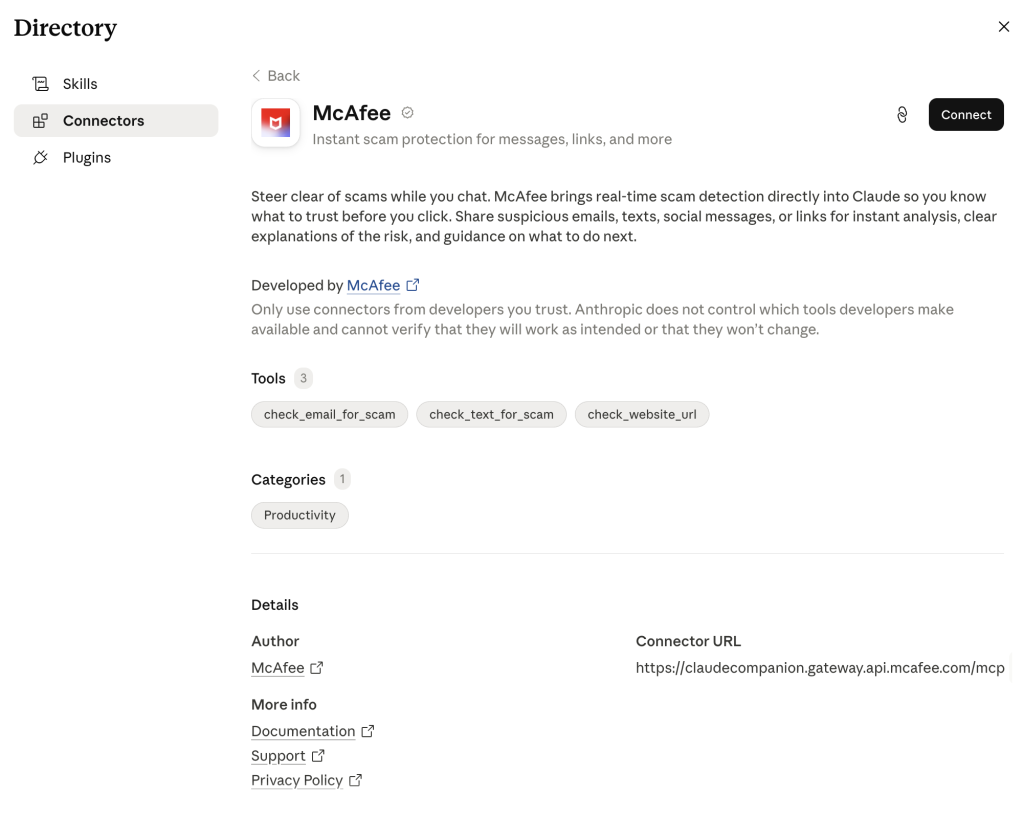
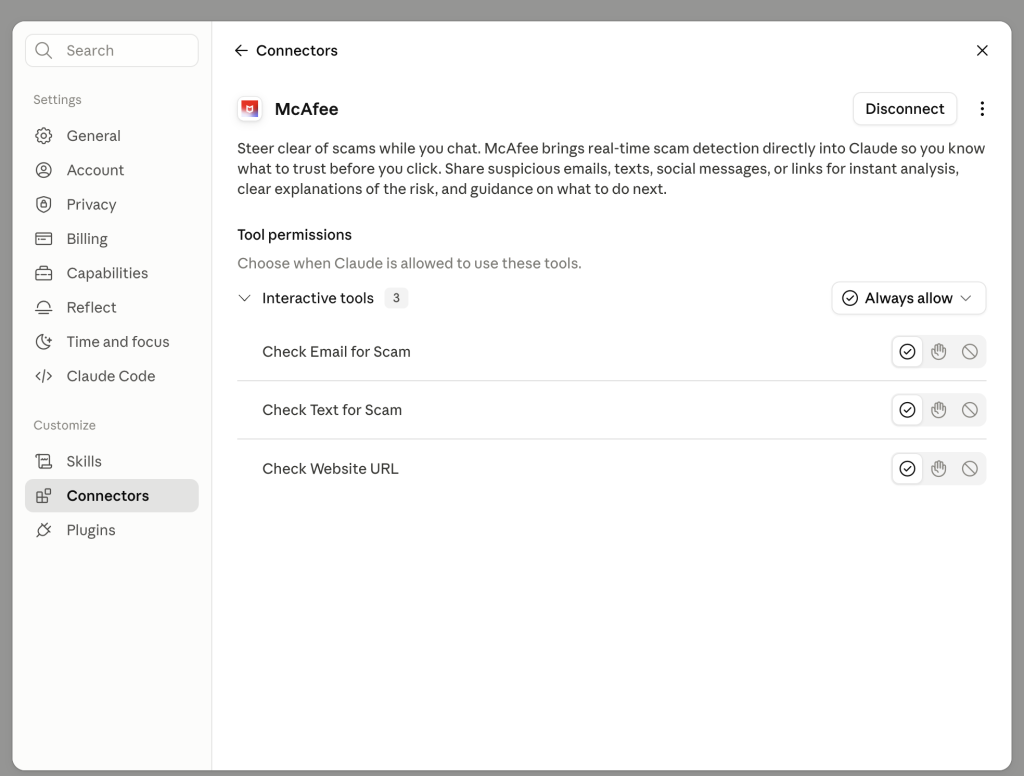
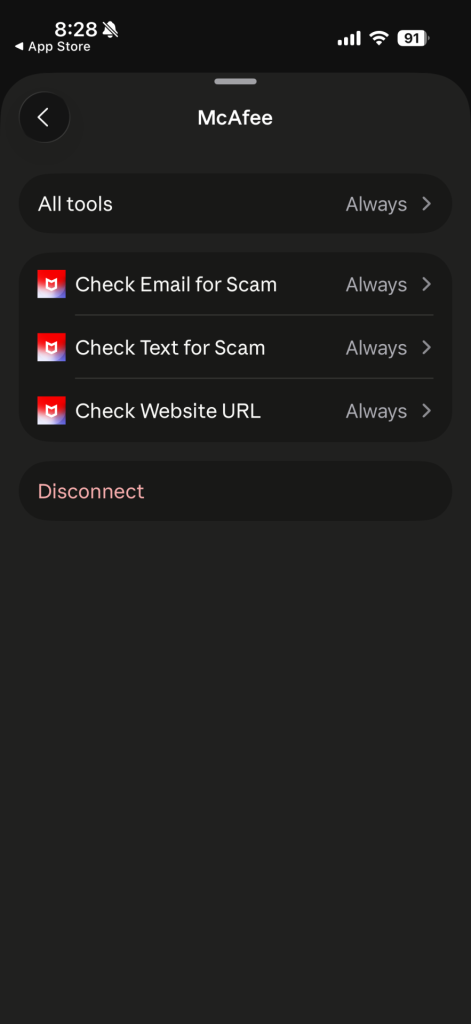
Claude + McAfee is designed to close that gap, bringing scam detection directly to a platform people are already using to ask questions and make decisions.
And it’s available to anyone. You don’t have to be a McAfee subscriber.
This isn’t just detection. It’s guidance in the exact moment you’re deciding what to do.
Instead of guessing, you can paste a message or drop in a screenshot and get a clear explanation of what’s risky, and what to do next, powered by McAfee’s threat intelligence.
How to Use McAfee in Claude
With this integration, checking something suspicious becomes as simple as asking a question.
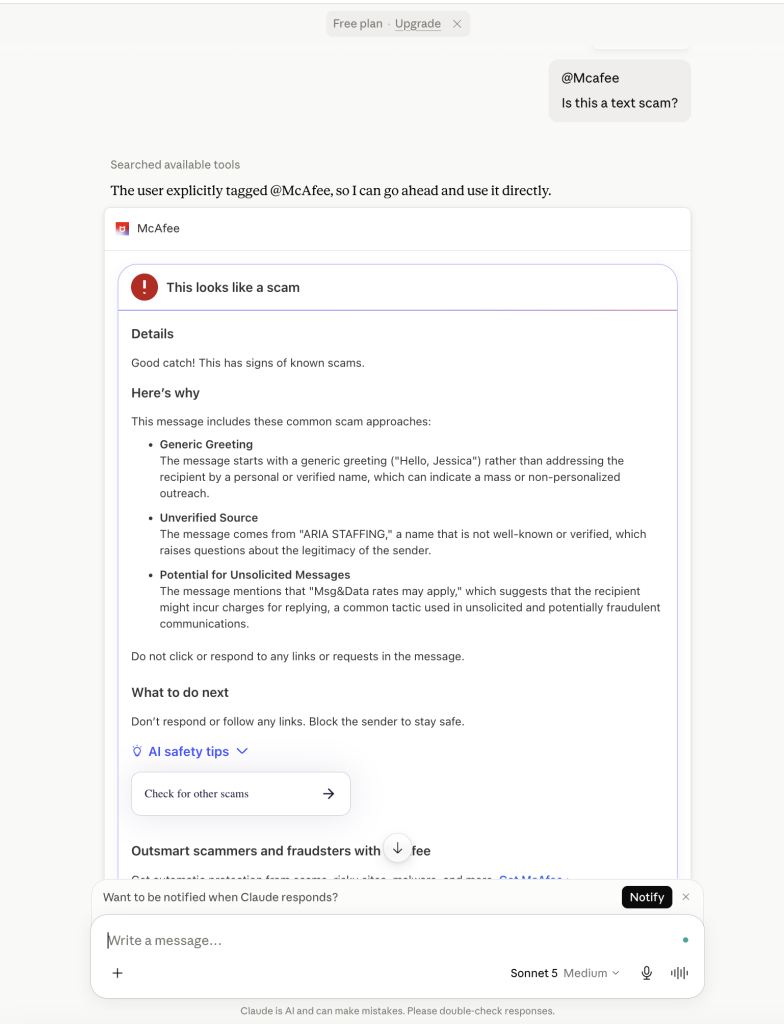
Paste a message. Drop in a link. Upload a screenshot. And just make sure to @McAfee when you’re asking a question.
McAfee analyzes it and explains what’s going on clearly and in context.
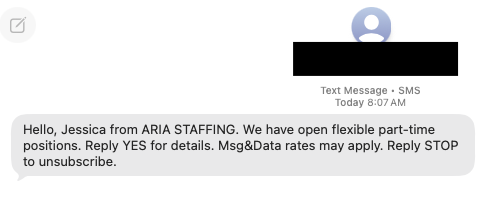
For example, I got this suspicious “job offer” message over the weekend:
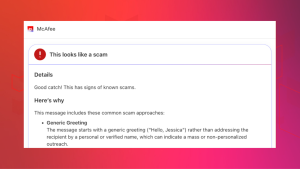
So I uploaded it in Claude and asked @McAfee, which caught it right away. You can even see I’m using the free plan.
Here’s how it works:
Feature
What it does
How it protects you
Link safety check
Paste a suspicious URL and get a reputational analysis based on McAfee threat intelligence
Scam links are often designed to look legitimate. A quick check helps avoid phishing and malware
Message analysis
Submit texts, emails, or social messages for evaluation
Many scams now rely on urgency and tone. Analysis helps surface subtle red flags
Screenshot uploads
Upload screenshots of messages or emails for review
Scams don’t always come as clean text. This makes it easier to check what you’re seeing
Clear explanations
Get a breakdown of why something is flagged as risky or safe
Not just a warning—an explanation that helps you recognize patterns next time
Guided next steps
Receive recommendations on what to do next
Helps prevent escalation, especially in moments of uncertainty
It’s a quick, accessible way to get answers in the moment. But it’s just one part of a broader system designed to protect you more comprehensively.
Behind the scenes, Claude + McAfee is powered by the same intelligence that fuels McAfee’s broader scam protection ecosystem.
When you submit something for review:
Links are checked against known threat signals
Messages are analyzed for scam patterns and language cues
Results are translated into clear, human-readable explanations
The goal isn’t just to flag risk. It’s to help you understand it.
A New Way to Stay Ahead of Scams
Scams aren’t slowing down. If anything, they’re becoming more convincing, more personalized, and harder to detect.
That’s where Claude + McAfee comes in. But this is only one part of a much bigger system designed to protect you before, during, and after a scam attempt.
With McAfee+ Advanced, multiple layers work together so you’re not left figuring it out after the damage is done:
Identity Monitoring alerts you if your personal info shows up where it should not, so you can act fast
A new toolkit for attorneys in Massachusetts targets the technologies police use—and conceal—to build criminal cases, from facial recognition to AI-written police reports.
A first-of-its-kind analysis found more than one in eight apps built for US service members carried foreign code—some from firms in nations the Pentagon designates as adversaries.
Scammers don’t always need sophisticated malware to steal your money. Increasingly, they’re relying on something much simpler: your trust.
This week, fraudsters were reported using FaceTime to watch victims log into their online banking accounts in real time, while Arizona authorities warned about fake QR codes exploiting the disappearance of 84-year-old Nancy Guthrie.
Here’s what happened, and how to protect yourself.
Scammers Are Using FaceTime to Watch Victims Log Into Their Bank Accounts
A growing scam is turning one of Apple’s most familiar apps into a tool for financial fraud.
According to CBS News, scammers first contact victims by text or phone while pretending to represent their bank or credit card company. They claim there’s suspicious activity on the account and that additional verification is needed.
Instead of keeping the conversation on a regular phone call, they switch to FaceTime.
Victims are then convinced to share their screens while logging into online banking. As they do, scammers can watch account numbers, passwords, and even one-time security codes appear in real time.
How the scam works
You receive a text or phone call claiming there’s fraud on your account.
The caller directs you to continue the conversation over FaceTime.
You’re asked to share your screen while logging into your bank.
The scammer watches your passwords and verification codes as you enter them.
Remember: Your bank should never ask you to share your screen or reveal one-time authentication codes. If you receive an unexpected call, hang up and contact your bank using the number on the back of your card or through its official app.
Fake QR Codes Are Exploiting the Search for Nancy Guthrie
Authorities in Arizona are warning the public about another scam—this time involving the disappearance of 84-year-old Nancy Guthrie, mother of Today show host Savannah Guthrie.
According to the Pima County Sheriff’s Department, scammers have been circulating social media posts containing QR codes requesting donations connected to the investigation.
The department says it will never ask the public for money related to this case or any investigation and urged people not to scan QR codes requesting payment.
The warning comes as investigators continue to search for Nancy Guthrie, whose disappearance remains under investigation.
How to spot QR code scams
Verify who posted the QR code before scanning.
Be cautious of emotional appeals tied to breaking news or missing persons cases.
Never send money to someone you don’t know based solely on a social media post.
Confirm donation requests through an organization’s official website instead of relying on shared posts.
Scammers know that people want to help during emergencies. Unfortunately, they also know that urgency and emotion can cause people to act before verifying where their money is going.
Other Scam and Security News This Week
Even scam reporters can be targeted. A CBS News correspondent shared how he nearly withdrew money from his own bank after falling for a sophisticated imposter scam before realizing something didn’t add up. (Yahoo Finance)
India investigates reported nuclear plant-related data breach. Reuters reported that ransomware group World Leaks published files allegedly connected to contractors working on India’s Kudankulam Nuclear Power Plant. Officials say no nuclear security systems were exposed. (Reuters/Al Jazeera)
Cyberattack disrupts KFC Japan supply chain. A cyberattack on food logistics provider Nichirei Co. disrupted frozen food deliveries to KFC Japan, leading the company to warn of possible menu restrictions, shorter hours, and temporary pauses to online ordering. Nichirei said it has found no evidence that customer or personal information was exposed. (TechRadar)
Your Safety Checklist This Week
Before you trust a call, text, or QR code:
Never share your screen with someone claiming to be your bank.
Don’t scan QR codes requesting money unless you’ve verified the source.
Contact organizations directly using their official website or phone number—not the contact information provided in a text or social media post.
Slow down when someone creates urgency. Whether it’s a missing person case or a frozen bank account, scammers rely on emotional reactions.
How McAfee Can Help
Scammers often begin with a text, phone call, or malicious link designed to earn your trust before stealing your information.
Before a breach: Personal Data Cleanup helps reduce your digital footprint by removing your personal information from many data broker sites, limiting what scammers can easily find about you.
During a breach: Identity Monitoringalerts you if your personal information appears on the dark web or in known data leaks, helping you respond faster if your information is exposed.
After a breach: Scam Detector helps identify suspicious texts, emails, and links that often follow major breaches, while Web Protection helps block malicious websites designed to steal additional information or credentials.
And we’ll be back next week with more news and safety tips.
Last spring, Sarah Chen opened what looked like a routine message from her bank. The email had the right logo, a professional tone, and even addressed her by name. But within minutes of clicking a link and entering her credentials, her checking account was emptied. The sender’s address appeared perfect, but it was one letter off.
Scams have become sophisticated, using AI to craft convincing messages that are nearly impossible to distinguish from legitimate ones. In this guide, we’ll explore how to protect yourself from phishing scams, recognize the latest tactics, and use strategies to keep your inbox, your personal information, and your money safe.
What Is a Phishing Scam?
Phishing scams are deceptive messages that pretend to be a trusted source to trick you into revealing sensitive information or installing malware. These scams often appear to come from trusted entities such as banks, employers, or popular brands and try to trick you into clicking a malicious link, downloading harmful attachments, or providing confidential information such as login credentials, financial details, or personal data.
Modern campaigns are polished, personalized, and timed to feel routine, which is why blocking them, not just spotting them, has become essential.
Types of Phishing Scams
Phishing scams come in various forms, each tailored to exploit different communication channels. The most common types include:
Email Phishing: These scams arrive in your inbox, often disguised as messages from trusted organizations like banks, retailers, or employers. They may include links to fake websites, requests for sensitive information, or malicious attachments.
Text Message Phishing (Smishing): Delivered via SMS, these “smishing” messages often claim to be urgent alerts about your accounts, packages, or payments. They include links to fraudulent websites or prompts to reply with personal information.
Phone Call Phishing (Vishing): Scammers impersonate legitimate representatives over the phone, asking for sensitive details under the guise of resolving an issue or confirming account information. This is called “Vishing”.
Social Media Phishing: Fake profiles or direct messages on platforms like Facebook or Instagram trick users into sharing personal information or clicking harmful links.
How Do Phishing Scams Work?
Phishing scams rely on social engineering with technical evasion. Here’s how they typically unfold:
The Hook: Scammers craft a message designed to grab your attention—often using urgency, fear, or curiosity.
The Bait: The message includes a link, attachment, or request that appears legitimate but is designed to deceive. On the back end, they use look‑alike domains, spoofed sender names, and hosting that shifts quickly to avoid detection.
The Trap: Once you click the link or provide information, the scammer gains access to your accounts, data, or even your device.
Your email provider runs multiple layers of defense on every incoming message. These include domain authentication checks, IP reputation tracking, and content analysis that evaluates sender history, wording patterns, and link destinations to produce a risk score. If a server has been sending spam or phishing messages, messages from that source are more likely to be filtered for everyone.
Despite these controls, advanced phishing still slips through. Generative AI helps criminals craft messages with perfect grammar and formatting. Data from previous breaches lets them insert real names, addresses, and partial account details. The result feels normal and urgent at the same time, which increases the chance of a click.
Email Phishing Scams Examples
Phishing emails come in many forms, each tailored to exploit specific vulnerabilities. Below are some of the most prevalent and dangerous examples of modern phishing tactics:
Example 1: AI-Assisted Phishing Scams
Gone are the days of poorly worded emails riddled with typos. Most scammers now use Generative AI tools to create emails that are indistinguishable from legitimate communications. These messages feature:
Perfect grammar and spelling
Appropriate formatting
Accurate logos and branding
Contextually appropriate tone and language.
When a message reads exactly like something your bank, your boss, or Amazon would actually send, content-based filters struggle because there are no obvious red flags to catch.
Example 2: QR Code Phishing
Scammers have discovered a clever way to bypass traditional email filters: by embedding malicious links in a QR code. This new phishing technique, called quishing, has exploded in popularity since email filters are often unable to scan the content of an image. In Q2 2025 alone, the Anti-Phishing Working Group (APWG) detected over 635,000 unique malicious quishing codes impacting 1,642 different brands. The attacks climbed to more than 716,000 by Q3. When you scan the QR code, you think you’re accessing a legitimate shipping update or payment portal, but suddenly, you’re on an attacker-controlled site entering your credentials.
Example 3: Multi-Factor Authentication Bypass Phishing Scams
Criminals have developed man-in-the-middle methods to defeat even multi-factor authentication by creating websites that look identical to real login pages. When you enter your password and complete your multi-factor authentication challenge, the website captures everything in real time and immediately uses it to access your actual account. These attacks work because you’re technically completing real authentication steps, just on the wrong site.
Example 4: Personalized Phishing Scams
When companies such as healthcare providers or financial institutions suffer data breaches, it’s the consumers’ personal information that ends up in criminal databases. Scammers then use your data to craft a second wave of phishing campaigns with your actual name, partial account numbers, addresses, or even recent purchase history. Since traditional spam filters haven’t yet caught up to match these highly personal and relevant spam patterns, it’s harder to distinguish real from fake without additional tools and verification steps.
How to Recognize Modern Phishing Scams
Modern phishing is designed to look routine, but small inconsistencies still give it away. Here are some telltale signs to watch for:
Urgency: Messages that demand immediate action, such as “Your account will be locked in 24 hours.”
Suspicious Links or Sender Details: Sender details that are close but not exact. Hover over links to check their destination before clicking. Legitimate URLs should match the sender’s domain.
Generic Greetings: Be wary of emails that address you as “Dear Customer” instead of using your name.
Unexpected Attachments: Avoid opening attachments from unknown or unverified senders, especially from senders who rarely send files.
Requests to verify an account: Messages that ask you to verify, confirm, or fix an account through a link or a QR code rather than through the official site or app.
How to Prevent Phishing Scams
Your actions shape how phishing reaches you and how well your email filters improve over time. Simple habits can reduce your exposure, and technical protections can block phishing attempts before they reach you.
Everyday Habits That Help You Avoid Phishing Scams
Even small changes in how you interact with email can dramatically lower your risk. These everyday habits help you recognize suspicious messages and avoid common phishing traps:
Use the Verification Rule to Spot Phishing Scams Before You Click
Make this your new personal policy: Never click links or attachments directly from an unsolicited or unexpected email. Always go to the website yourself via a bookmark or typed address. Bookmark the login pages for your bank, credit card companies, and other financial services. When you receive an email saying there’s a problem with your account, close the email and use your bookmark instead.
Report Phishing Emails and Train Your Filter
This is one of the most powerful steps you can take. When you mark an email as spam or phishing rather than just deleting it, you teach the filter what malicious messages look like and improve future blocking, not just for you but for everyone using that email service. Clicking “Report Spam” contributes to a global defense system. You could also contact the official organization using a trusted method, forward phishing emails to the Anti-Phishing Working Group, and report them to the Federal Trade Commission. This reporting improves filters for everyone and helps law enforcement track criminal operations. Delete the message after reporting it.
Does marking as phishing scam block future emails?
When you mark an email as phishing, your provider uses that feedback to block similar emails in the future, for both you and other users.
Use Separate Email Addresses
Having different emails for different purposes dramatically reduces exposure. Consider maintaining three email addresses: one for important accounts such as banking, government, and healthcare, another for shopping and commercial subscriptions, and a third one for miscellaneous signups and newsletters you don’t care much about. When your designated shopping email receives a message claiming to be from your bank, you immediately know it’s fake.
Consider Email Aliases
This service, offered by many providers, lets you create multiple addresses that all deliver to one inbox, giving you the organizational benefits without juggling multiple accounts. You can even set up filters to automatically sort incoming messages based on which alias received them.
Top Solutions for Blocking Phishing Scams
Your email and devices already include powerful security features; you just need to turn them on. These technical solutions work automatically in the background to block harmful messages and stop threats before they cause damage.
Turn on Inbox Security Settings
Your email account itself is often the “master key” to your digital life. Open your email settings and look for options such as “safe links,” “safe browsing,” “enhanced spam protection,” or “phishing protection.” These features exist in most major email services but aren’t always enabled by default. Gmail users should check under Settings → See all settings → Filters and Blocked Addresses. Outlook users should visit Settings → Mail → Junk email. Five minutes of configuration provides ongoing protection.
Verify your device protection is active
Whether you use McAfee, built-in device protection, or another security solution, check that it’s running and up to date. Open the application and look for a status indicator showing real-time protection is enabled. If you see any warnings or update prompts, address them immediately. This protection catches threats that slip past your email filters in case you accidentally click a malicious link.
Turn on Two-Factor Authentication
Two- or multi-factor authentication (2FA or MFA) means that even if a phishing attack captures your password, criminals still can’t access your account without a second verification factor sent to your phone or generated by an authenticator app. Gmail, Outlook, Yahoo Mail, and other major providers all offer robust 2FA or MFA options in security settings.
Enable Security Alerts
When someone tries to access your account from a new device or a different country, you’ll receive an immediate notification. This early warning lets you secure your account before any damage occurs.
Set up Custom Email Filters and Rules
Most email services allow you to create custom filters and rules for common red-flag keywords or phrases such as “urgent action required,” “verify your account,” “suspended account,” “unusual activity,” or “confirm your identity.” You could also add suspicious domains to your blocked senders list. Another way to filter emails is to unsubscribe from newsletters you never read. Every legitimate marketing email should have an “Unsubscribe” link at the bottom.
Combine Email Security with Browser and Device Protections
Email security isn’t just about your inbox. Blocking phishing at the browser level is a critical second line of defense. Modern versions of Chrome, Firefox, Safari, and Edge all scan known malicious sites. When you click a phishing link from an email, your browser often shows a warning before letting you proceed. Consider installing reputable web filtering services that block known malicious domains from loading, even if you click the link. Just as importantly, keep your operating system and security software up to date to ensure you benefit from new threat intelligence and improved detection of emerging phishing techniques.
What to Do If You Fall for a Phishing Scam
If you realize you may have clicked a malicious link or shared information with a phishing site, take action right away. Here’s what to do:
Disconnect Your Device: Immediately disconnect your device from the internet to prevent further data theft or malware spread. If possible, power it down until you can assess the situation.
Change Compromised Passwords: Immediately update the passwords for any accounts that may have been compromised. Use strong, unique passwords for each account.
Enable Multi-Factor Authentication (MFA): Add an extra layer of security to your accounts by enabling MFA wherever possible. This makes it harder for attackers to gain access, even if they have your password.
Notify Affected Institutions: Contact your bank, email provider, or any other relevant organization to report the breach. They can help secure your accounts and monitor for suspicious activity.
Run a Malware Scan: Use trusted antivirus or anti-malware software to scan your device for any malicious programs that may have been installed during the attack. Ensure the software is up to date.
Monitor Your Accounts: Keep a close eye on your financial and online accounts for unauthorized transactions or changes. Consider setting up alerts for added vigilance.
Report the Scam
Report the phishing attack to relevant authorities, such as the Federal Trade Commission (FTC) or Anti-Phishing Working Group (APWG). This helps prevent others from falling victim to the same scam.
Final Thoughts
Phishing will continue to evolve as criminals keep finding new techniques. But you now know where your protection comes from: built-in filters, your email provider’s technology, and smart email habits.
Relying exclusively on your email provider’s built-in protection, however, may leave gaps that modern phishing campaigns can exploit. Adding reliable security software, such as McAfee+, can provide you with additional layers of defense. McAfee offers web protection that checks links in real time, as well as real-time attachment and download scanning that analyzes files for malware. Meanwhile, our scam protection features help you detect threats across multiple channels, including email, texts, social platforms, and even risky QR codes. Identity protection also helps you recognize and respond to phishing attacks that lead to credential theft or misuse of personal information.
These solutions work automatically, implementing complex protections in the background as soon as you set them up. McAfee is committed to innovating its solutions so that we can keep track of new phishing tricks and update your defenses automatically.
Plus: Russian cyberspies turn to infrastructure hacking, DHS repeatedly fails to realize it’d been hacked, a breach exposes an AI music generator’s scraping ways, and more.
The City Attorney’s Office sent the tech giants cease-and-desist letters this week telling them to stop profiting from 13 “face-swap” apps that are overwhelmingly used to target women and girls.
Since WIRED reported on Meta’s NameTag face recognition system, company executives have made confusing and conflicting remarks about its very existence.
ESET researchers discovered 11 vulnerable UEFI shim bootloaders signed by Microsoft that allow attackers to bypass UEFI Secure Boot by exploiting decade-old vulnerabilities
"Build a smart home", they said. "It'll make life so much better", they said. Well, life wasn't very bloody good at 23:00 the other night after travelling 33 hours from Paris only to find the IoT doorlock batteries dead and the 9V "jump start" procedure completely failing! Eventually, the locksmith arrived and opened an old-school physical lock on another door in an alarmingly short time. So, lessons:
Battery-powered locks suck and will eventually lock you out of your house
Don't trust a fallback mechanism as rudimentary as "hold a 9V battery on some terminals"
Always have an old school manual backup approach, AKA "a key"
As I say in the video, we do have other doors that have keys, and if it weren't for the complacency we developed, we would have had one of these accessible. But alas, we didn't. The path forward is to take a deep dive into Ubiquiti's Access ecosystem, which I've flagged in the past, and by pure coincidence, I already had a meeting lined up with them to discuss just this. So, the hardware is on the way, and I'll have something entirely new to play with in the coming weeks. Stay tuned!
Microsoft Corp. today released software updates to plug at least 570 security holes in its Windows operating systems and other software, almost triple the number of vulnerabilities the software giant fixed in its record-smashing Patch Tuesday release last month. Microsoft attributed the burgeoning patch counts to vulnerability discoveries aided by artificial intelligence.
Nearly 60 of the bugs quashed in July’s Patch Tuesday earned a “critical” severity rating, meaning miscreants or malware could use them to seize remote control over a Windows device with little or no help from the user. Microsoft also addressed three zero-day flaws, including two that are already being exploited in the wild.
Two of the zero-day weaknesses allow an attacker to elevate their user rights on a Windows system, as do approximately 250 other elevation of privilege flaws fixed this month; they include CVE-2026-56155 — an Active Directory Federation Services bug — and CVE-2026-56164, a Microsoft Sharepoint vulnerability.
CVE-2026-50661 is a security feature bypass in Windows BitLocker that could allow attackers to gain access to encrypted data if they have physical access to the device. Microsoft said this bug has been detailed publicly, but that it is not aware of any active exploitation.
In a blog post on July 9, Microsoft Executive Vice President Pavan Davuluri wrote that Windows users will notice “a higher volume of security updates included in each security release” as a result of AI aiding in the discovery of vulnerabilities.
“The pace of vulnerability discovery is changing with advances in AI making it possible to find more issues, faster, across more code, with new mechanisms that can accelerate both discovery and analysis,” Davuluri wrote.
Jack Bicer, director of vulnerability research at Action1, called attention to CVE-2026-48561, a remote code execution flaw in Microsoft Copilot (with a 9.6 CVSS threat score) that allows an unauthorized attacker to execute code over the network. Microsoft says an attacker could exploit this bug by hosting a malicious website that causes Microsoft Edge for Android to automatically send crafted prompts to Copilot when a user visits the site.
As AI advances the state of vulnerability discovery and remediation, it is also making it easier for attackers to quickly devise working exploits for known software flaws. Microsoft has long labeled security bugs using its “exploitability index,” which is Redmond’s best guess as to how likely it is that attackers will be able to figure out a reliable way to exploit a given vulnerability.
But Satnam Narang, senior staff research engineer at Tenable, argues that Microsoft’s exploitability index needs to do a better job of shifting with the machine speed of discovery. For example, Microsoft originally gave this month’s SharePoint zero-day an exploitability rating of “less likely,” although the flaw was added to CISA’s Known Exploited Vulnerabilities list on July 1.
“Anthropic’s Red Team’s own findings for known vulnerabilities (n-days) revealed how fragile this system has become, with its Mythos Preview model being able to produce proof-of-concept exploits for 13 of 14 vulnerabilities that were rated ‘Exploitation Less Likely’ or ‘Exploitation Unlikely,'” Narang said. “What this means is that our way of looking at Patch Tuesday has changed, because the exploitability index is centered around humans, not AI tools, and as these tools continue to improve, defense needs to improve alongside it.”
Chris Goettl at Ivanti observed that the record patch numbers from Microsoft come as a number of other major software makers are increasing their patch cadence, including Adobe which announced today it is moving to twice-monthly security bulletins published on the 2nd and 4th Tuesday of each month (Adobe also cited AI for accelerating their patch cycles). Cisco, Mozilla and Oracle also are shipping updates more frequently, while Google’s patch batches in June 2026 totaled more than 900 security fixes, Goettl noted.
Backing up your Windows system and/or data is always a good idea before applying operating system updates. Given the volume of patches addressed this month it may be wise for end users to wait a few days before applying these fixes. It’s not uncommon for security patches to introduce system stability issues, and those chances probably increase quite a bit with the gigantic patch count released today.
The Cybersecurity and Infrastructure Security Agency (CISA) has issued a postmortem on a recent data leak in which a contractor published dozens of internal CISA credentials — including AWS Govcloud keys — in a public GitHub repository for almost six months before being notified by KrebsOnSecurity. Experts say the gaps identified in the agency’s initial response provide important lessons that all security teams should absorb.
On May 15, 2026, the security firm GitGuardian asked for help in notifying CISA about the existence of a public GitHub repository called “Private CISA” that included 844 MB of sensitive CISA-related data. One of the exposed files, titled “importantAWStokens,” included the administrative credentials to three Amazon AWS GovCloud servers. Another file — “AWS-Workspace-Firefox-Passwords.csv” — listed plaintext usernames and passwords for dozens of internal CISA systems.
CISA quickly acknowledged our initial alert, but took more than 48 hours to invalidate the AWS keys and many other important secrets leaked in the GitHub repo. In its report on the data leak, CISA said the complexities of the agency’s systems and interconnections with federal and industry partners caused its key rotation to take longer than anticipated.
“Drawing on this experience, CISA encourages others to maintain mature and well-tested key management capabilities,” the report notes.
CISA also admitted it can do better when it comes to responding to security incident notifications from external parties. The postmortem stresses that clear and distinct reporting channels are essential to ensure that incidents affecting the organization itself are handled differently from those involving its products or customers.
“In CISA’s case, these channels were not well defined, leading the security researcher to try multiple avenues – including emailing the contractor, submitting through CISA’s vulnerability disclosure platform (which is intended for vulnerabilities impacting the broader cybersecurity community), and ultimately involving a reporter,” reads the analysis written by Preston Werntz and Brad Libbey, the acting chief information officer and acting chief information security officer at CISA, respectively.
CISA said it is refining its reporting channels to make them easier and faster for researchers. “Additionally, while many researchers rely on the security.txt file, organizations can ensure clarity by publishing reporting instructions in multiple prominent locations,” the CISA authors wrote.
Guillaume Valadon, the GitGuardian researcher who first contacted KrebsOnSecurity about the exposed CISA credentials, said CISA ignored nine automated alerts about the exposed credentials prior to our notification on May 15. Valadon’s company constantly scans public code repositories at GitHub and elsewhere for exposed secrets, automatically alerting the offending accounts of any apparent sensitive data exposures.
“Letting nine notification emails go unanswered is how a one-day incident becomes a six-month exposure,” Valadon wrote in an analysis of CISA’s report. “Make it trivial to report a leak about you, not just about your products. The person reporting a leak to you is not the threat. Publish a security.txt, but do not stop there. Put reporting instructions in several prominent places, and make sure a report about your own infrastructure does not land in a product-bug queue.”
The report’s authors also emphasized the importance of continuously scanning public code repositories like GitHub for exposed secrets, and said CISA has since rotated all secrets and created an action plan to improve management of developer secrets and to better monitor for them going forward.
The report notes that while CISA had developed a playbook for responding to cybersecurity incidents, that playbook somehow didn’t include what to do in situations involving GitHub or other cloud services. Valadon said the report validates the need to scan continuously — not just quarterly — for exposed secrets.
“The Private-CISA repository sat public for six months,” Valadon wrote. “Continuous monitoring of public GitHub surfaced it. Comprehensive internal scanning could have caught the plaintext passwords and committed backups long before they left the building.”
CISA gave itself passing grades on several areas of security preparedness that it said helped the agency gauge the scope and impact of the exposed secrets, including enhanced logging capabilities, and the adoption of zero-trust principles in both its production and development systems. CISA said those detailed logs allowed it to show that no customer or mission data was exposed, and that the leaked credentials were not used outside of CISA’s environments. The agency said the contractor who exposed the secrets had their system access revoked.
Valadon reckons the biggest takeaway is the CISA postmortem itself, and praised the agency for being transparent about what worked and what didn’t.
“To my knowledge, it is also the first time a national cybersecurity agency has publicly advocated for secrets scanning and for simplifying relations with security researchers,” Valadon wrote. “That is exactly the incident communication we should expect from every organization.”
 Login
Login










 Never share your screen with someone claiming to be your bank.