Normal view

The Pentagon Knew Enemies Could Track Troops’ Phones for Years. Now They Are

28 May 2026 at 16:59
The US military has long known that cheap fixes could stop location data from exposing its troops. It adopted almost none—and now says adversaries are using the data to target soldiers during a war.

Microsoft tests the 15-character limit of Windows Server admins' patience

28 May 2026 at 16:30
Windows Server 2016 might be long in the tooth but that isn't about to stop Microsoft breaking stuff. The May 12 security update introduced another bug for administrators to worry about. According to Microsoft, if the server hostname is exactly 15 characters long (like, for example, THEY-NEVER-TEST), domain controller discovery might fail. In the notes for the glitch, Microsoft wrote: "When the hostname is 15 characters long, DCLocator calls (for example, using nltest /dsgetdc: /pdc) will return ERROR_INVALID_PARAMETER, preventing applications and administrative tools from locating a domain controller." In other words, anything that depends on a domain controller lookup might stop working. As an example, Microsoft gave Distributed File System (DFS) Namespace management, which would certainly be inconvenient. DFS Namespaces is a Windows Server role that allows admins to group shared folders across different servers into a single namespace. A single path can lead to files located on multiple servers. Unless, of course, the domain controller lookup is broken. Microsoft lists no workaround for affected users, though changing the server hostname to something other than 15 characters would presumably avoid the trigger. "The issue is under investigation, and additional information will be shared as soon as it becomes available," it said. Microsoft still officially supports Windows Server 2016. Mainstream support ended in 2022, but extended support will continue until January 12, 2027. Microsoft is offering up to three more years of support via the Extended Security Updates (ESU) program after that. Earlier this year, Esben Dochy of Lansweeper told The Register that the operating system accounted for just 2.2 percent of all Windows devices it tracks, but 20.3 percent of all servers. That figure is unlikely to have dropped dramatically in the months since, so there is a fair chance that an administrator with a 15-character hostname could be affected. In addition to the Windows Server 2016 problems, the May 2026 security update has failed during installation on some Windows 11 devices when the EFI System Partition is insufficient in size. It is reassuring to know Microsoft's talent for breakage shows no bias toward any particular vintage. ®

Carnival confirms ShinyHunters cruised off with 6M customer records after April breach

28 May 2026 at 12:10
Carnival Corporation - the world's largest cruise operator - has confirmed a digital heist, a month after hacking crew ShinyHunters claimed to have stolen millions of customers' records. The breach, Carnival confirmed, stemmed from an April 14 social engineering attack on an employee, though the company declined to comment on the scale or name ShinyHunters. However, a company filing with the Maine attorney general's office puts the number of affected individuals at just under six million, down from the 8.7 million records previously listed by Have I Been Pwned. Carnival previously acknowledged the phishing attack at the time, but it did not say whether any data had been accessed or stolen. ShinyHunters claimed it lifted terabytes' worth of Carnival records and hinted at a breakdown in negotiations, likely related to the criminal outfit's extortion demands. "The company failed to reach an agreement with us despite our incredible patience," ShinyHunters wrote on its data leak site, adding: "They don't care." Following a "thorough and time-consuming analysis of the impacted data," Carnival confirmed that names, addresses, email addresses, phone numbers, dates of birth, and state identification numbers were all included in the breach. As is often the case in data theft incidents, individuals will be affected to different degrees, depending on what information they shared with the company. Carnival began sending notifications directly to affected individuals on Wednesday. Those communications include details about how recipients can redeem two years of free credit monitoring services, as is common in US breach notifications, via TransUnion. It closed its message with a promise to improve: "In addition to the comprehensive security measures the company had in place prior to the incident, it has taken steps to further safeguard its systems, including enhancing its security and monitoring controls. "The company will continue to advance its IT security and data privacy controls to stay ahead of an ever-evolving threat landscape." ®

Do Windows PCs and Macs Need Antivirus Software? How McAfee Goes Beyond Built-In Security

28 May 2026 at 12:00
Couple looking at computers

Your Windows PC or Mac already includes built-in security features, and that’s a good thing. These tools provide an important first layer of protection against malware and other common threats users encounter every day. 

But today, staying safe online is about much more than blocking viruses.  

Scam texts arrive daily. Phishing emails imitate trusted brands. Fake websites are designed to steal passwords and payment information. Personal details can appear on data broker sites. AI Deepfakes are more convincing than ever. And most households use multiple devices, from laptops and phones to tablets and Chromebooks. 

That’s why McAfee+ Advanced combines device security with scam protection, identity monitoring, personal info removal, web protection, and secure VPN to help protect the many parts of your digital life. 

Let’s break down what built-in security does, and what McAfee does differently: 

What Built-In Security Does Well 

Both Windows 11 and macOS include a range of built-in security features designed to help protect your device. Depending on your operating system and the apps you use, these may include: 

  • Malware detection and removal  
  • Firewalls  
  • Browser warnings about suspicious websites  
  • Password management tools  
  • Privacy and app permission controls  

Together, these features provide an important first layer of protection and help many users stay safer online.  

Why Many People Want More Than Basic Device Protection 

Built-in security tools are primarily focused on protecting the device itself. However, today’s online threats often target something even more valuable: your identity, your money, and your personal information. 

Recent McAfee research found that Americans receive an average of 14 scam messages every day, and more than three in four have encountered an online scam. 

Threats now commonly include: 

  • Scam texts pretending to be banks, toll agencies, and delivery companies  
  • Fake job offers via text, email, or social media 
  • Phishing emails  
  • QR code scams  
  • AI-generated voice and video impersonations  
  • Identity theft via smishing and quishing, including hijacking entire social profiles 
  • Exposure of personal information on data broker sites  

These risks can follow you across all your devices, not just the computer sitting on your desk. 

Built-In Security vs. McAfee Protection 

Here are the key differences between built-in security alone, vs additional protection like McAfee.  

Built-In Security Has  McAfee+ Advanced Adds 
Detecting viruses and malware  Scam protection for suspicious texts, emails, links, QR codes, and deepfakes 
Basic privacy controls  Secure VPN to protect your connection on public Wi-Fi 
Saving passwords  Password manager with unique password generation and storage. 
Warning about some risky websites  Web Protection to help block dangerous sites before they load 
Security on one device  Antivirus coverage across your PCs, Macs, phones, and tablets 
Doesn’t have this support  Identity monitoring, so you know when your SSN and other info is exposed. Plus personal info removal, so your old data isn’t left spread out across the web. 

Why McAfee Stands Out: Speed and Comprehensive Protection 

Unlike the old stereotype that stronger protection means a slower computer, independent testing shows McAfee is also the lightest on performance.  

In the latest AV-Comparatives PC Performance Test, McAfee Total Protection posted the lowest system impact score of all 20 products tested: just 3.3, compared with the industry average of 12.8.  

It also earned the highest possible rating, ADVANCED+. That means McAfee is not just adding more layers of protection. It is doing so while staying out of your way. 

For consumers looking for security that goes beyond basic antivirus to help protect against scams, identity theft, privacy risks, and threats across all their devices, that combination is hard to ignore. 

Protection Across All Your Devices 

Most people no longer rely on a single computer. A typical household may use: 

  • Windows PCs  
  • Macs  
  • iPhones  
  • Android phones  
  • Tablets  
  • Chromebooks

Managing security separately on every device can be difficult. McAfee+ Advanced is designed to provide coverage across your devices under one subscription, helping simplify online protection for individuals and families. 

How McAfee+ Advanced Goes Beyond Built-In Security 

With McAfee+ Advanced, multiple layers work together before any damage is done:  

  • Scam Detector flags suspicious texts, emails, links, QR codes, and even deepfake videos before you engage 
  • Secure VPN keeps your data private, especially on public Wi-Fi  
  • Web Protection helps block risky sites, even if you do accidentally click  helps block risky sites, even if you do accidentally click   
  • Password Manager doesn’t just help you make unique, strong passwords, it keeps them stored and organized for you
  • Device Security helps detect malicious apps or downloads   
  • Identity Monitoring alerts you if your personal info shows up where it should not, so you can act fast   
  • Personal Data Cleanup helps remove your information from sites selling it. 
  • Online Account Cleanup assists in taking down your old, forgotten accounts across the web 
  • Social Privacy Manager helps you monitor and change privacy settings across your social platforms in just a few clicks 

Together, these protections are designed to address the broader range of online risks people face every day. 

So, Do Windows PCs and Macs Need Antivirus Software? 

Built-in security tools provide an important starting point, but with scam attempts becoming more convincing and personal information more widely exposed, many people need a more comprehensive approach to staying safe online. 

McAfee+ Advanced combines device security, scam protection, identity monitoring, privacy tools, and VPN coverage to help you browse, bank, shop, and connect with greater confidence. 

The post Do Windows PCs and Macs Need Antivirus Software? How McAfee Goes Beyond Built-In Security appeared first on McAfee Blog.
Company CEO flooded file share with smut, called for help after he deleted it

28 May 2026 at 07:00
PWNED Welcome, once again, to PWNED, the weekly column where we cover high-security hijinks that are at least partially the victim’s fault. This week, we have a trio of tales that involve incredibly unprofessional behavior, inappropriate use of corporate resources, and outright theft, all dealt with by IT. Have a story about someone leaving a gaping hole in their network? Share it with us at pwned@sitpub.com. Anonymity is available upon request. Our trilogy of tech exposure comes courtesy of Zach Lewis, the current CIO and CISO at the University of Health Sciences and Pharmacy in St. Louis. Before his current role, Lewis worked for various other companies in IT roles and he has some tea to spill. At one job, Lewis was working as a sysadmin when the CEO asked for help recovering photos he had accidentally deleted from a company file share. The files were accessible to anyone at the organization, and Lewis searched archived copies in Google Picasa to restore them. Unfortunately, the pictures the CEO was missing included many that were very much NSFW. “So I was called in to sit down with him and look at it. And we're just like I restore everything. We start clicking images to make sure everything's there, just doing a random subset check,” Lewis said. “And, uh, just some pornography comes up and he's sitting right next to me. I mean, right next to me, he's just like, oh yeah, that's just some of my porn.” When he was done restoring the photos, Lewis left the room. It was clear the boss had no shame and no problem with IT seeing his explicit images or with storing them where any employee could download them. They were even mixed in with official photos and family pictures. However, knowing this was bad policy and could probably lead to a lawsuit, Lewis approached human resources and told them about the problem. The HR representative instructed him to delete all the smut from the network, even though it belonged to the big boss. He did that, and fortunately, did not face any repercussions at work for deleting the big man’s cheeky pictures. He wore a top hat In another instance, Lewis was asked to look at a coworker’s computer when the employee thought he had gotten a virus on his laptop. However, the colleague cautioned IT not to look through his files. After a little while, Lewis noticed a folder filled with other subfolders that were festooned with adult images, both of naked women and of the employee himself without clothes on. All of the photos had appropriately descriptive file names too. Perhaps most embarrassing of all for the coworker is that Lewis saw his semi-naked pictures. To be fair, he was dressed in the images, as he was wearing a top hat – but nothing else. The problem, Lewis notes, is that employees treat their work computers as if they are home computers and do not think about the implications of having personal images on something that belongs to a corporation. He suggests setting a firm policy against this kind of thing and educating workers about the policy. When workers inevitably violate the policy, it’s time for a gentle reminder. “A policy is just, you know, paper, right? It's hard to enforce that,” Lewis said. “You can talk to the user in this instance. In this most recent instance with this guy in the top hat, it was ‘hey, these are company resources’ when I gave the computer back to him.” Kids’ YouTube upload exposed a potential thief In another gig, Lewis worked at a university. When one athletics coach quit, he was supposed to leave his school-issued iPad on his desk. But when the IT department came to collect the equipment, this tablet was missing. No one could find the missing iPad, but a month later, someone uploaded a new video to the school’s YouTube channel. The video featured a different coach's kids and appeared to have been uploaded from his house. Apparently, the other coach had allegedly snatched the iPad off of the first coach’s desk and given it to his kids. The kids then used the iPad to film a funny home video and upload it to YouTube, not realizing that it was connected to the school’s official YouTube account. Lewis notified HR, who called the apparent thief in. At first, he denied that the children in the video were his offspring. However, the HR agent then showed him a photo of him and his kids on social media together and he admitted, okay, he was their dad. The coach then said he didn’t know how the iPad got into his house. But he grabbed it and returned it to IT. There are a lot of problems with the iPad situation from a security perspective. First, the iPad that wasn’t turned over clearly was not locked to the point where someone else couldn’t get into it. It had access to the school’s YouTube account, so any thief could add their own content to it and it may have even had PII (personally identifiable information) about some student athletes. Bottom line: make sure departing employees hand over equipment directly to IT. Don’t let them just leave equipment on a desk. And make sure even tablets require biometric access. ®

How Scammers Used Deepfake Video to Dupe a Company Out of Millions

By: McAfee
27 February 2026 at 22:04
blog deepfake dupe company

It’s the video call that cost $25 million.

According to reports from Hong Kong police in February, a finance worker at a multinational company joined a video conference call with the company’s chief financial officer. On the call, the CFO directed the finance worker to transfer more than $25 million in funds to several bank accounts.

The finance worker reportedly had reservations about the request, thinking that the CFO looked “a little off.” The finance worker then reportedly turned to the other participants on the call for confirmation. They all agreed to the request. With that, the transfers went through. More than $25 million in funds were moved out of the company. Right into the hands of fraudsters.

As it turns out, the CFO on the worker’s call was a video deepfake. Along with everyone else.

Hong Kong’s public broadcaster, RTHK, quoted senior police superintendent Baron Chan as saying that AI deepfake technology was used to dupe the worker.

“[The fraudster] invited the informant [worker] to a video conference that would have many participants. Because the people in the video conference looked like the real people, the informant … made 15 transactions as instructed to five local bank accounts, which came to a total of HK$200 million,” he said.

Fraudsters now use AI deepfakes to pull off corporate scams

Businesses now face an altogether new security threat: video deepfakes. In real time, scammers can pose as company officers, vendors, partners, and so on. Put plainly, we live in a time where the person on the other end of that video call might be a fake.

Scammers face several challenges before they can pull off a deepfake attack. The primary challenge they have is obtaining source material. To create a deepfake, they need images, video, and audio of the person they want to impersonate. Consider, though, that some company officials have relatively high profiles. They speak at conferences, hold webinars, and participate in earnings calls. Throw in a few photos and videos lifted from the target’s social media accounts, and scammers have the source material they need to create a deepfake.

The next challenge … scammers need a good story, one with emotional levers they can pull and coerce a victim to act. In the case of the Hong Kong scam, the deepfakes plied their victim with a mix of urgency and authority. The “CTO” wanted to move money and move that money immediately. With the other deepfakes on the call concurring with the CTO, the victim did as asked. In all, it was a classic case of a hand-picked victim subjected to a classic execution of social engineering.

Understandably, this story drew major coverage given the use of deepfakes and the haul they brought in. Moreover, the fact that the fraudsters orchestrated not just one but a host of deepfakes makes it that much more newsworthy. In light of this, companies and their employees have a new threat to look out for. And, better yet, prepare themselves for deepfakes.

Preventing corporate AI deepfake scams

While AI deepfakes hopping onto video conference calls certainly marks new territory in security, several long-standing measures for preventing corporate fraud remain the same. Additionally, some new preventive measures are called for.

Look for the signs of AI deepfakes

Earlier, we mentioned how the victim in the Hong Kong attack mentioned that the CFO looked “a little off” on the video call. AI deepfakes, while convincing, sometimes have the tell-tale markers of a fake.

However, that’s changing. Quickly. As the tools for creating deepfakes continually improve, deepfakes become increasingly difficult to spot.

Earlier generations of deepfake tools had difficulty tracking excessive head movement, like when the deepfake turned for a profile shot. Further, earlier tools required users to keep their hands off their faces. Placing a hand on the chin or over the mouth would break up the face of the deepfake. Another marker of earlier deepfake tools can be found in the eyes. They often had a glassy look, like they weren’t catching the light right. The same went for skin tones and lighting.

So yes, a deepfake might look “a little off.” Consider that a huge red flag. Yet don’t entirely count on this method of detection. As AI deepfake tools evolve, they’re able to remove such blemishes from the video.

Confirm, confirm, and confirm

Any time that sensitive info or sums of money are involved, get confirmation of the request. Place a phone call to the person after receiving the request to ensure it’s indeed legitimate. Better yet, meet the individual in person if possible. In all, contact them outside the email, message, or call that initially made the request to ensure you’re not dealing with an imposter.

In the wake of targeted attacks on key stakeholders, some organizations have restructured how they handle requests for data, funds, and other sensitive information. They require two or three people to fulfill such a request. This makes it tougher for scammers to run their cons. For starters, they have the burden of targeting two or more people. Then they face the further burden of convincing them all. This oversight gives companies a chance to fully validate requests, and potentially catch “urgent” bogus requests from scammers.

Fraudsters do their research — keep your guard up

Fraudsters select their victims carefully in these targeted attacks. They hunt down employees with access to info and funds, and then do their research on them. Using public records, data broker sites, “people finder” sites, and info from social media, fraudsters collect intel on their marks. Armed with that, they can pepper their conversations with references that sound more informed, more personal, and thus more convincing. Just because what’s being said feels or sounds somewhat familiar doesn’t always mean it’s coming from a trustworthy source.

Clean up your online presence

With that, employees can reduce the amount of personal info others can find online. Features likeMcAfee Personal Data Cleanup can help remove personal info from some of the riskiest data broker sites out there. I also keep tabs on those sites if more personal info appears on them later. Additionally, employees can set their social media profiles to private by limiting access to “friends and family only,” which denies fraudsters another avenue of info gathering. Using our Social Privacy Manager can make that even easier. With just a few clicks, it can adjust more than 100 privacy settings across their social media accounts, making them more private.

Defense against AI deepfake attacks

Moving forward, we can expect to see more of these corporate AI deepfake attacks. On all manner of scales. The availability and power of AI tools make it likely. However, as with many forms of targeted attacks, there’s something both fishy and uncanny about them. As we’ve seen, the employee targeted in the Hong Kong attack held suspicions … something was wrong about that call. Yet, who would expect a video conference call full of AI deepfakes? With this attack, companies should consider that such calls fall within the realm of possibility today.

As AI detection technologies evolve, companies will have additional tools to prevent these attacks. Yet the human factor remains an essential element of defense. These are scams, pure and simple. And scams have signs. Fraudsters use all kinds of social engineering tricks to get their victims to act. They’ll impose themselves as authority figures. They’ll add elements of urgency to their requests. And they’ll use people’s personal info in ways to make themselves appear familiar and trustworthy.

This is where we stand today: a basic understanding of AI deepfake technology, what it’s capable of, and the tricks that fraudsters can play with it can bolster a company’s defense against AI deepfake attacks. Indeed, they’re within the realm of possibility today. And a prepared workforce can help stop them in their tracks before they can do any harm.

The post How Scammers Used Deepfake Video to Dupe a Company Out of Millions appeared first on McAfee Blog.

How Romance Scammers are Using Deepfakes to Swindle Victims

By: McAfee
27 January 2026 at 22:42
blog romance scammers deepfakes

Romance scammers now use face-swapping tech in video chats, all to swindle love-seekers online.

It’s finally come to pass. We indeed live in a time where that person on the other end of a video call might be an absolute imposter. The way they look and the way they sound, all a lie.

A recent article in WIRED shows just how this new form of romance scam works. With a laptop or a couple of smartphones, the cons transform their looks and voices entirely with stock-and-trade AI tools. In real time, they become someone else entirely, with AI mirroring every expression they make as they chat on a video call. It all appears quite real.

Yet a deepfake it is.

Deep feelings and deepfakes fire up AI romance scams

Chilling as this striking new form of attack sounds, you can protect yourself. In fact, many of the same tried-and-true means of avoiding a romance scam still apply.

Even when scammers use real-time deepfakes, the heart of these romance scams remains the same. It plays out like a script. And when you know the script, you can spot the scammer following it.

Romance scams play out a bit like this …

The scammer contacts a love-seeker online, often through direct messages on social media or via text or messaging apps. Sometimes the message is targeted and personalized. In other cases, the scammer might start things off with a simple “hi.” Either way, the scammer aims to kick off a conversation. A long one in which the scammer builds trust with a victim over time.

Days, weeks, and even months pass as the scammer woos their victim. Patiently, they wait for the right moment to pounce by finally asking the victim for money. Maybe it’s gift cards. Maybe it’s prepaid debit cards. A wire transfer, perhaps. Almost always, it’s a form of payment that’s tricky, if not impossible, to recover after victims realize they’ve been scammed. Scammers have even asked for cryptocurrency in some cases.

The reasons for requesting money vary. The scammer might say it’s for a plane ticket to come visit or simply a few bucks to help them in a pinch. Other scammers heap on yet more elaborate lies. Some pose as members of the military stationed in a remote overseas location. They’ll say they want some extra money for a video game console or other creature comfort. Some scammers brazenly claim they’re a doctor working in a remote village and need money for medicine. The list goes on.

As outlandish as the stories and requests might be, victims fall for them. After all, the scammer has been fawning over the victim for some time by that point. The victim truly feels like they’re truly in love with someone who truly loves them. They’ll do anything for their love interest, who turns out to be a scammer and, one day, disappears entirely.

That’s how a romance scam plays out. And it happens often enough. According to the Federal Bureau of Investigation’s 2023 Internet Crime Report, losses to reported cases of romance scams topped more than $650 million.

How not to fall deeply for a deepfake online

Scammers have ready access to deepfake tools, ones that make them look and sound convincingly real. Moreover, these deepfake tools continually improve. With each generation of deepfakes, they become increasingly difficult to detect.

As a result, we can’t take things at face value. Everything we see and hear online requires scrutiny. And scrutiny is what it takes to protect yourself from deepfake romance scams.

Watch the person’s movements on the call

Less sophisticated deepfake tools struggle to track body movement. As such, scammers do their best to hold their heads steady and avoid turning around. Otherwise, that kind of movement ruins the deepfake effect. It’s quite obvious when it happens. With that, see if you can get a suspected deepfake to move around, stand up, turn for a sideways profile, or place their hands on their face. Lesser deepfakes will reveal themselves when they do.

Talk with trusted friends or family members

Beyond keeping a sharp eye out for glitches, you have another detection tool at your disposal — friends and family. When a new relationship starts heating up, share the news with some trusted people in your life. Talk about your interactions with the person, even share a message they’ve sent or two. Victims often miss or overlook inconsistencies in a romance scammer’s stories, particularly as the supposed relationships develop.

Friends and family can help you spot those inconsistencies. They can also point out when parts of the relationship start to sound sketchy. Given the way that scammers pull all kinds of strings on their victims, this can help clear up any clouded judgment.

When a stranger you’ve only met online brings up money, consider it a scam

Money talk is an immediate sign of a scam. The moment a person you’ve never met in person asks for money, put an end to the conversation. Whether they ask for bank transfers, cryptocurrency, money orders, or gift cards, say no.

End the conversation

You might say no, and the scammer might back off — only to bring up the topic of money again later. This is a signal to end the conversation. That persistence is a sure sign of a scam. Recognize that ending an online relationship might be far easier said than done, as the saying goes. Scammers worm their way into the lives of their victims. A budding friendship or romance might be at stake, at least that’s what a scammer wants you to think. They deal in emotional blackmail to get what they want. Tough as it is, end the relationship.

How to make it tougher for a romance scammer to target you

Scammers have to track you down in some way or other. And they have plenty of online resources to do it. Some romance scammers take an extra step. They profile their potential victims before contacting them. With the info they’ve gathered online, they can fine-tune their approach.

For example, we’ve seen cases where scammers target widowers with bogus profile pics that share similarities with the widower’s deceased spouse.

While you can’t keep a scammer from reaching out to you, you can make it tougher for them to find you and use your own info against you.

Make your social media more private

Our new McAfee Social Privacy Manager personalizes your privacy based on your preferences. It does the heavy lifting by adjusting more than 100 privacy settings across your social media accounts in only a few clicks. This makes sure that your personal info is only visible to the people you want to share it with. It also keeps it out of search engines, where the public can see it. Including scammers.

Watch what you post on public forums

As with social media, scammers harvest info from online forums dedicated to sports, hobbies, interests, and the like. If possible, use a screen name on these sites so that your profile doesn’t immediately identify you. Likewise, keep your personal details to yourself. When posted on a public forum, it becomes a matter of public record. Anyone, including scammers, can find it.

Remove your info from data brokers that sell it

McAfee Personal Data Cleanup helps you remove your personal info from many of the riskiest data broker sites out there. That includes your contact info. Running it regularly can keep your name and info off these sites, even as data brokers collect and post new info. Depending on your plan, it can send requests to remove your data automatically.

The post How Romance Scammers are Using Deepfakes to Swindle Victims appeared first on McAfee Blog.

CrowdStrike, Google shatter Glassworm botnet

27 May 2026 at 17:56
CrowdStrike, working with Google and the Shadowserver Foundation, said it has taken down the Glassworm botnet, a self-propagating, credential-stealing worm that has targeted developers and spread through poisoned software packages since early 2025. The endpoint security giant’s Counter Adversary Operations team and partners hit all four Glassworm command-and-control channels simultaneously at 1400 UTC on Tuesday, “severing the operators from their infected machines and their ability to deliver new malicious payloads,” according to CrowdStrike’s blog. Google Threat Intelligence Group chief analyst John Hultquist confirmed his company’s involvement in a social media post. “As part of our disruption efforts, we are working with partners to bring more pain to attackers, especially when we see them abusing our products or targeting our users,” Hultquist wrote. A spokesperson declined to provide additional details to The Register about Google’s role in the takedown. The disruption comes as another self-replicating worm, Mini Shai-Hulud, rips through open source code and miscreants poison GitHub repositories and npm packages in similar supply-chain attacks also targeting developers’ environments. “Glassworm marked a significant shift in the threat landscape that should serve as a wake-up call for every organization that ships or consumes software,” CrowdStrike wrote. “Adversaries are no longer just targeting products, they're targeting the developers who build them.” First spotted by endpoint security shop Koi in October 2025, Glassworm used invisible Unicode-based code injection, blockchain-based C2 infrastructure, and Google Calendar as a backup command server to turn infected developers’ machines into criminal proxy nodes. This self-replicating worm initially targeted VS Code extensions on the OpenVSX marketplace before moving on to npm and Python packages, and later poisoned more than 300 GitHub repos using stolen credentials harvested in earlier Glassworm infections. This worm appeared about a month after another self-propagating malware strain, Shai Hulud, first wormed through npm packages including those maintained by CrowdStrike. Glassworm infected all platforms - including Windows, macOS, and Linux systems - stealing credentials and other sensitive information, and also spawning its own Node.js remote access tool called GlasswormRAT. C2 architecture designed to withstand takedowns Glassworm’s C2 infrastructure used four distinct channels to complicate takedown efforts. These included the Solana blockchain, with C2 server addresses encoded in the memo fields of blockchain transactions, ensuring the C2 couldn’t be taken offline through conventional means. It also used Google Calendar event titles as dead-drop locations for Base64-encoded C2 paths. The GlasswormRAT used a decentralized BitTorrent Distributed Hash Table (DHT) for configuration data stored against hardcoded public keys. And finally, Glassworm relied on traditional C2 servers, hosted on commercial VPS providers, as the final payload delivery mechanism. Disrupting all four channels “required precision and timing,” according to CrowdStrike. “Taking down only one channel would have left the others operational, allowing the operators to quickly reconstitute.” All Glassworm-infected machines now beacon to the benign CrowdStrike-operated IP address 164.92.88[.]210. The security shop urges organizations to review network logs and endpoint telemetry for connections to this address, which indicate a Glassworm infection. ®

Bosses blinded by confidence about shadow AI use by workers

27 May 2026 at 17:20
More than half of businesses had an AI-related security incident or a scare in the past year — even as executives remain overwhelmingly confident in their ability to manage the risks of employees using AI tools, according to a study commissioned by identity and access management leader Okta. “For the purposes of this survey, an AI security issue is defined as an actual incident, i.e. a breach, data exposure, or system disruption, or a close call, meaning an issue was identified before it caused harm to the organization,” Harish Peri, SVP and GM for AI Security at Okta, told The Register. Of those respondents who reported a security problem, 26.7 percent described an actual incident — a breach, data exposure, or system disruption — while 31.2 percent identified a close call caught before it caused harm. Yet, overall, 58 percent of executives reported that their organization experienced an AI-related security problem in the past 12 months and the data is pointing to “shadow AI” use by employees as the culprit, Peri said. “The old adage in cybersecurity is that you can’t protect what you can’t see. Our research shows that 52 percent of knowledge workers admit to using unapproved AI tools,” Peri told us. “Security and compliance teams can’t govern the usage of AI tools they don’t know are being used. Organizations must implement an effective AI governance framework that prioritizes identity-centric controls, automated discovery, and secure sandboxes to test drive AI tools safely.” The AI Agents at Work 2026 report was commissioned by Okta and conducted by Apprize360 in March. It surveyed 292 executives and 492 knowledge workers across seven countries: the US, UK, Australia, Canada, Japan, France, and Germany. It also showed a disconnect between how leaders believe AI is being used within their organizations and what employees actually do. Whether it's coding assistants, browser extensions, or industry-specific utilities, the study said what unites all of the tools is their need for data and, in many cases, access to an organization’s internal systems. Peri said the survey found risky employee behavior when it came to interacting with AI models. Knowledge workers actively used unapproved AI tools, shared confidential company documents with those tools, handed over HR information to AI, and in 16 percent of cases, provided their login credentials. "These risky behaviors — whether intentional or not — increase the attack surface across an organization," Peri told The Register. Despite that, 90 percent of executives had confidence in their organization's visibility into AI tools, even as more than half of knowledge workers admitted to using AI tools without approval, with 24 percent adding that they do so regularly. Apart from the security issues, the survey found that AI agents and AI tools are gaining widespread adoption. Ninety-two percent of executives surveyed said autonomous AI agents are already in widespread or moderate use across their organizations, while nearly two-thirds of knowledge workers reported using an AI tool at least daily. Among those workers, 68 percent used AI agents, while 62 percent regularly used LLMs and AI-infused chatbots. The results of the survey vary by geography, too. The United States led all surveyed countries, with 67 percent - more than two-thirds - of workers reporting they use unsanctioned AI tools. Australia came in second, with 60 percent of workers saying they engaged in unapproved AI usage. In the United Kingdom, some 55 percent of workers ignore the rules, while roughly 50 percent of Canadian workers reported using unauthorized AI tools. Workers in France and Germany reported the lowest rates of unauthorized AI usage with each at around 30 percent. The gap between executive confidence and employee reality is widest in the UK, where 96 percent of executives expressed confidence in their AI visibility, while more than half of workers used unapproved tools. Peri said there’s no easy fix. “For most organizations, shadow AI emerges unintentionally and isn’t intended to be malicious,” he told The Register. “Shadow AI primarily causes headaches for leaders because they don’t have the proper visibility, governance, and security controls for tools the organization isn’t managing.” Okta’s survey recommends that organizations should assume shadow AI exists and make discovery a priority. They should make the secure use of AI the easiest path, and define an AI governance strategy now. Peri said strict AI bans may actually make the problem worse by pushing more usage underground. A more effective approach, he said, involves talking with employees to understand what they need and making approved tools easier to use than unsanctioned alternatives. ®

Extortion crews are visiting law firms pretending to be tech support, FBI warns

27 May 2026 at 16:15
The FBI is warning unsuspecting lawyers that their firms continue to be an active target for members of a longstanding extortion crew. Silent Ransom Group has been operating since 2022, by the FBI’s reckoning, and its latest message [PDF] about the gang comes almost exactly a year after its last. The group is still targeting US law firms and their staff, and the criminals are pretending to be company IT staff. It also warned last year that the callback phishing specialists had started physically walking into the law firms’ offices when remote social engineering attempts go south. The FBI’s latest advisory reaffirms these findings, with fresh attacks reported in Spring 2026. Law firms should be locking up their USB ports because the extortion crew is still sending members to plug in their thumb drives into the computers, for when they can’t convince employees to surrender remote access. In these scenarios, they rock up to the victim they’ve tried to phish and socially engineer from behind a phone or computer screen, continue the facade of being a company IT rep, and then claim they need to image the person's device or create a backup file to assess the damage of their own phishing email. What they’re actually doing is copying important files onto said thumb drive, which SRG will later use to extort the law firm. The FBI didn’t say exactly how many of these in-person callouts SRG has made, but it was evidently enough to include in a fresh advisory on the group’s methods and tactics. According to the advisory, these attacks were first reported in Spring 2026. SRG in brief SRG’s target industries used to be broader than just legal. The hack-and-leak group has been known to target organizations operating in various industries, but the legal sector has remained a common theme since 2023. The FBI said in its advisory on the group last year that it believes SRG consistently targets US law firms “likely due to the highly sensitive nature of legal industry data.” When they’re not sending crooks into office blocks, SRG’s primary goal is to achieve their aims through callback phishing. Using SMS messages or emails, group members would single out employees at target companies, asking them to call a number while impersonating real IT staff. If the staffer fell for the scheme, they’d call up, and the SRG IT imposter would attempt to convince them to grant access to a remote desktop session, during which they would elevate their privileges and set about stealing data to use as extortion leverage. In some cases, SRG will run WinSCP or a disguised version of Rclone to scoop up files of interest. In others, they are known to share those documents using internal file-sharing platforms such as Google Drive or Microsoft OneDrive. Before the callback phishing methodology, the group would send emails claiming that a fake subscription had been authorized that would charge small sums to the target’s account each month. The email included a phone number to call in order to cancel the subscription, and once on the call, the crooks would convince the target to install remote access software, and rinse-repeat the data theft playbook. SRG is not known for using ransomware, but it operates a data leak site (DLS) just like any other extortion crew and charges victims to return the data they stole, threatening to leak it online if they refuse to pay. Recent alleged victims of the group have included law giant Jones Day, the legal eagles favored by US president Donald Trump during both his election campaigns. SRG listed Jones Day on its DLS, and the law firm confirmed a “cyber phishing incident” in April, but did not name SRG as the culprits. Your country needs you The FBI pleaded with the public to send it any evidence of SRG in action to aid future investigations. Of particular use would be phone numbers used to contact the crooks, copies of the phone call transcripts and phishing emails, cryptocurrency wallet information, and identifying information of the individuals who step foot in office buildings. As for how to prevent attacks from SRG or others adopting similar methods, the FBI recommended that organizations disallow connecting external drives to company-issued devices, especially those that store confidential or otherwise sensitive information. Verifying the credentials of each person walking into the building wouldn’t hurt, either. The usual advice applies for the group’s remote attacks: limiting access to sensitive data from less-secure networks and requiring phishing-resistant MFA for as many services as possible. The FBI also recommends blocking port 22 access, which would prevent encrypted remote access, and investing in robust staff training programs so they know not to let outsiders plug hardware into their machines. ®

New Phishing Technique - Vaultjacking: One Captured PIN, the Entire Google Password Manager Vault

I've been hard at work on a NEW phishing technique I'm excited to share. I'm calling it "Vaultjacking" and the impact is honestly a bit sobering.

In my blog I demonstrate how a single AiTM landing page can spoof your Google passkey/password manager PIN and use that to access ALL of a victim's third-party credentials (yes, including passkeys). A simple phish on one site can lead to a total compromise of all Chrome-saved credentials.

submitted by /u/phishullc
[link] [comments]

India's cyber agency sets clock at 12 hours to tackle exploited bugs as AI turns up the heat

27 May 2026 at 14:00
India's Computer Emergency Response Team (CERT-In) says defenders should endevor to patch or mitigate exploited n-day vulnerabilities within 12 hours as the cybercrime landscape continues its AI-ification. The organization's recommended half-day window applies only to bugs that affect internet-facing or "crown jewel" systems and are known to be exploited. In these cases, CERT-In told defenders to "patch, mitigate, or remove exposure within 12 hours where feasible." For other flaws, such as a standard critical vulnerability (CVSS 9.0 or higher) affecting an internal system, or a known exploited bug affecting an internal system, defenders can enjoy a much more leisurely 24-hour window. The revised suggestions come as part of a new guide released by CERT-In this week to help infosec pros better protect against AI-assisted cyberattacks. "AI-assisted cyber exploitation reduces the time required for adversaries to identify, weaponize, and exploit vulnerabilities, exposed services, weak identities, insecure APIs, and misconfigured systems," CERT-In's report reads. "As organizations become increasingly dependent on interconnected digital infrastructure, cloud ecosystems, software supply chains, operational technologies, and AI-enabled platforms, the potential impact of AI-enabled cyber threats continues to increase across sectors." CERT-In's report follows a trail of news stories in 2026 that all suggest AI is becoming an increasingly important part of cybersecurity for both attackers and defenders. The field of agentic AI has especially matured rapidly in the past year. Consumer-grade tools like OpenClaw have made it easier for non-technical users to experiment with autonomous tech, raising its profile and awareness of its capabilities. Agents are equipped with all the necessary permissions to make significant system changes, but as global intelligence agencies recently highlighted, their behavior can at times be unexpected, and they're also prone to mischief. Security pros are starting to see the potential for AI agents in their workflows, but for attackers, the technology represents an opportunity to hasten all parts of their process, from recon and exploitation to privilege escalation and data theft. CERT-In cited agentic AI as one of the core concerns behind the report's recommendations, and because of the disparate supply chains on which organizations are increasingly reliant, any vulnerability can lead to cascading damage on interconnected systems. Beyond agentic AI, the launches of frontier models such as Anthropic's Mythos and OpenAI's GPT-5.5, two certified cyber workhorses, threaten to empower attackers further with capabilities to uncover and exploit critical vulnerabilities at pace. A 12-hour window: Is it feasible? Any cybersecurity practitioner will attest to the onerous nature of the patching process, and how it's not as easy as clicking "Update," which is why a 12-hour patch window might seem initially unrealistic to some. Urgent warnings and demands for immediate patching are routinely delivered alongside critical vulnerability disclosures, but these fail to account for the downtime required to apply patches, or the testing required to prove that by applying them, everything else won't break. Microsoft has had its fair share of these cases, for example, and many readers will have borne the brunt. CISA's Known Exploited Vulnerabilities catalog is another prominent resource that sets patching deadlines, albeit only for federal agencies, but these are typically set at two to three weeks, or a number of days for the most serious vulnerabilities. The cybersecurity pros who spoke to The Register, weighing in on the CERT-In recommendations, agreed that 12 hours is far too short a window to properly test and deploy a patch, although they said the organization was on to something with its approach. Dray Agha, senior manager of security operations at Huntress, said that CERT-In’s recommendation to "patch, mitigate, or remove exposure within 12 hours where feasible" was solid advice, largely because of the caveat that it doesn’t necessitate a full patch within that time. "By explicitly encouraging temporary mitigations, such as isolation, access restriction, or disablement until a patch is ready, this turns the patching deadline into a highly feasible and necessary containment strategy," Agha told The Register. "And this corroborates the guidance we dispense at Huntress for critical threats: we often advise our community to deploy temporary mitigations to 'get them out of trouble' as soon as humanly possible, and then come up with a more coordinated strategy for patching that respects the business's need to function in its enterprises." Agha added that AI-assisted cyberattacks are seen every day in the wild, compressing the time taken to exploit vulnerabilities, meaning defenders must adapt to this new reality. In the pre-AI days, a 12-hour window to mitigate or patch a known exploited vulnerability was seen as excessively tight, but increased availability of advanced tooling and automation is reshaping the demands of vulnerability management. "Defenders must fundamentally reshape their operations to focus on quicker mitigations – prior to AI, at Huntress, we have seen vulnerabilities exploited within a handful of hours, let alone a full 12 hours," said Agha. He said the 12-hour guideline is less about an arbitrary clock, more about "forcing a necessary readjustment in how organizations drive their security approaches to be beyond compliance and move to a continuous defensive posture. "And this will involve the enterprise functions of the business being a part of the security posture – not just IT, thank you very much – as the consequences of AI-driven exploitation mean faster, higher impact cascading negatives on a targeted business; much better to proactively defend than reactively recover." ®

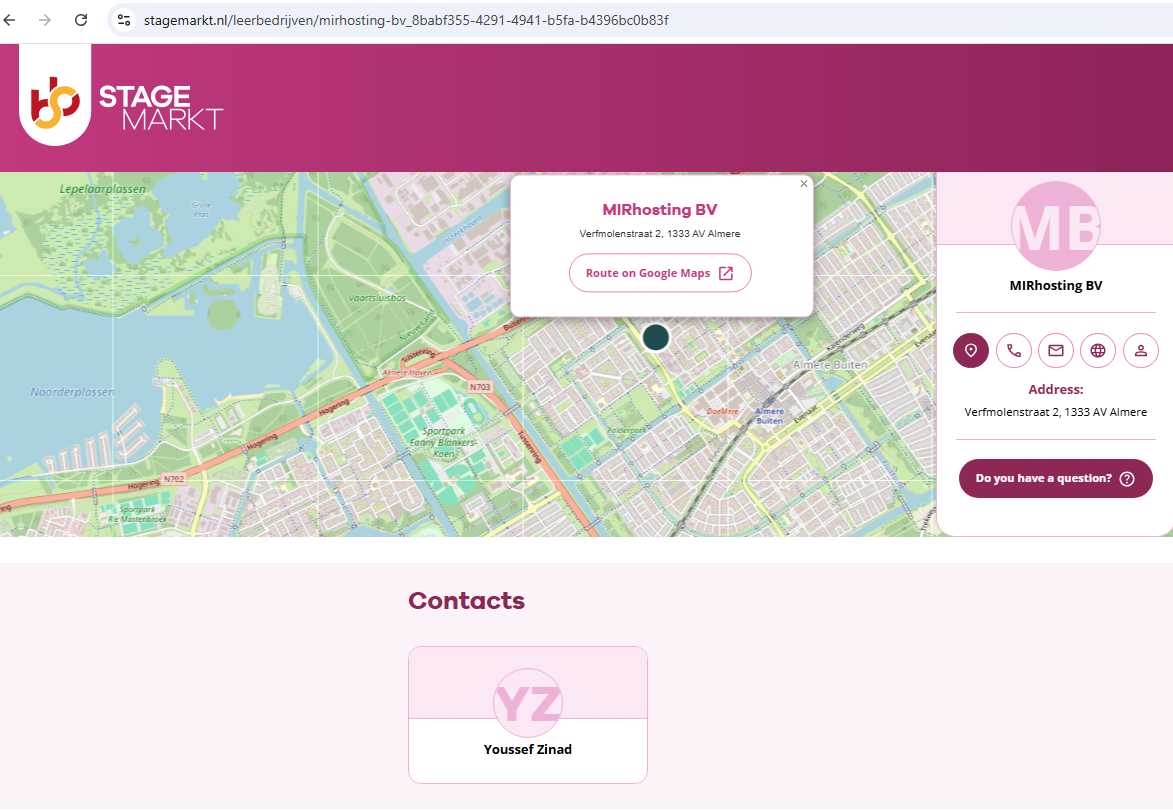
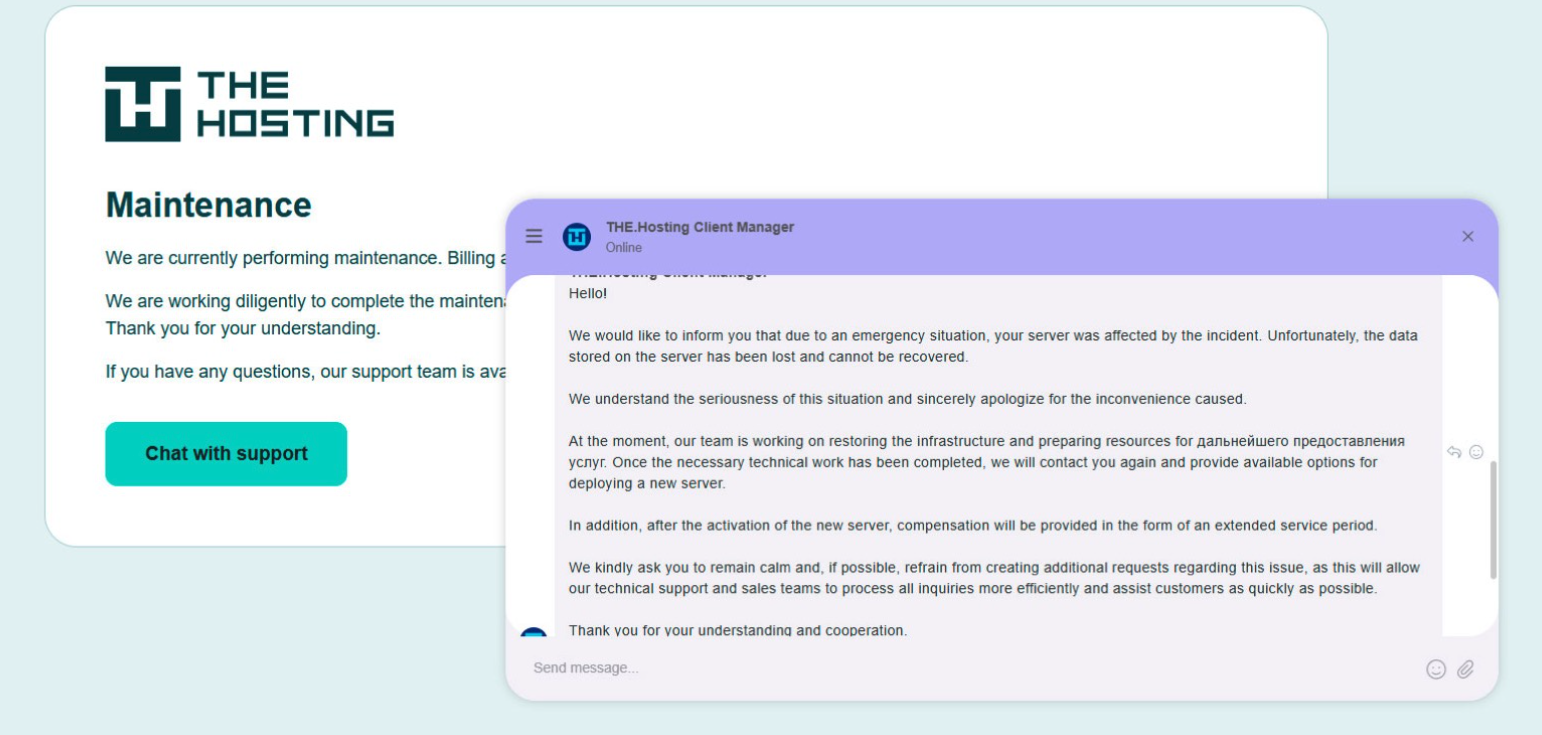
A week after Dutch FIOD seized 800+ servers, the hosting network's ASN (AS209847) is still scanning at its normal daily rate

After FIOD seized 800+ servers and arrested two operators on May 18, the ELLIO research team reports that scanning from the network's ASN ranges has continued largely uninterrupted - and that while roughly a third of the recently-active ranges (including the legacy Stark blocks 94.131.105.0/24 and 92.118.232.0/24) have since been withdrawn from global routing, the surviving ranges under AS209847 (WorkTitans / THE.Hosting) are still announced and still scanning, at the network's normal daily rate.

The sibling ASNs (AS213999 and the Moscow-based AS33993) remain routed and idle.

The recent activity skews toward database and ICS/SCADA discovery = MongoDB, Redis, PostgreSQL, Oracle, LDAP, plus DNP3 and EtherNet/IP - alongside known-exploit probes like CVE-2017-17215 and WinRM.

submitted by /u/HexLayer3
[link] [comments]
❌